How do I reject a candidate that has been submitted via an agency?

Last updated: March 13, 2026

Rejecting candidates requires clear communication to maintain good agency relationships.

Steps to reject a candidate:

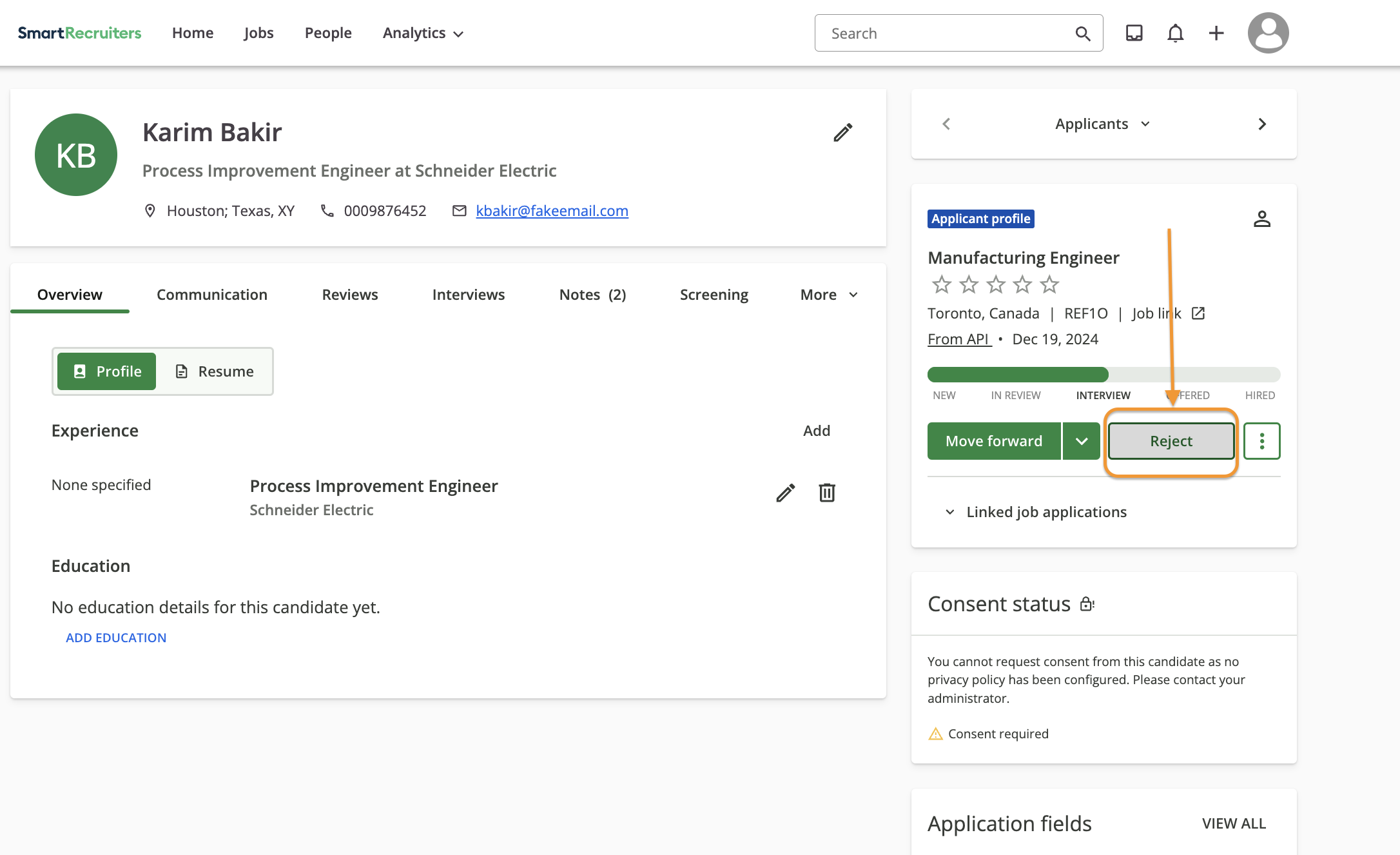
  1. Open the candidate's profile

  2. Click "Reject"

    Screenshot 2025-01-24 at 08.31.17.png
  3. Select rejection reason from the dropdown

  4. Add specific feedback

  5. Save the decision

Important: The agency will be automatically notified when you reject their candidate.

ssential feedback elements:

Information to include when rejecting a candidate

  1. Primary reason for rejection:

    • Skills mismatch

    • Experience level

    • Cultural fit

    • Salary expectations

    • Location requirements

    • Timeline/availability

  2. Specific details:

    • Which critical requirements were not met

    • Where experience fell short

    • Which skills were missing

  3. Constructive feedback:

    • Areas of strength

    • Specific improvement points

    • Whether to consider for future roles

Best practices:

  • Be professional and objective

  • Avoid personal comments

  • Focus on job-related criteria

  • Provide actionable feedback

  • Maintain compliance with discrimination laws

Need help?

Contact SmartRecruiters support