Identifying agency-submitted applications
Last updated: September 18, 2026
When working with agency partners, it's important to quickly and clearly distinguish agency-submitted candidates from direct applicants. This article explains how you identify agency-submitted candidates in SmartRecruiters.
In this article
Candidate source
Candidate tags
Candidate name suffix
Troubleshooting
Help & support
Candidate source
Every agency-submitted candidate always shows a source on their candidate profile with the name of the connecting agency. This appears automatically for every candidate submitted through the Advanced Agency Portal.
Candidate tags
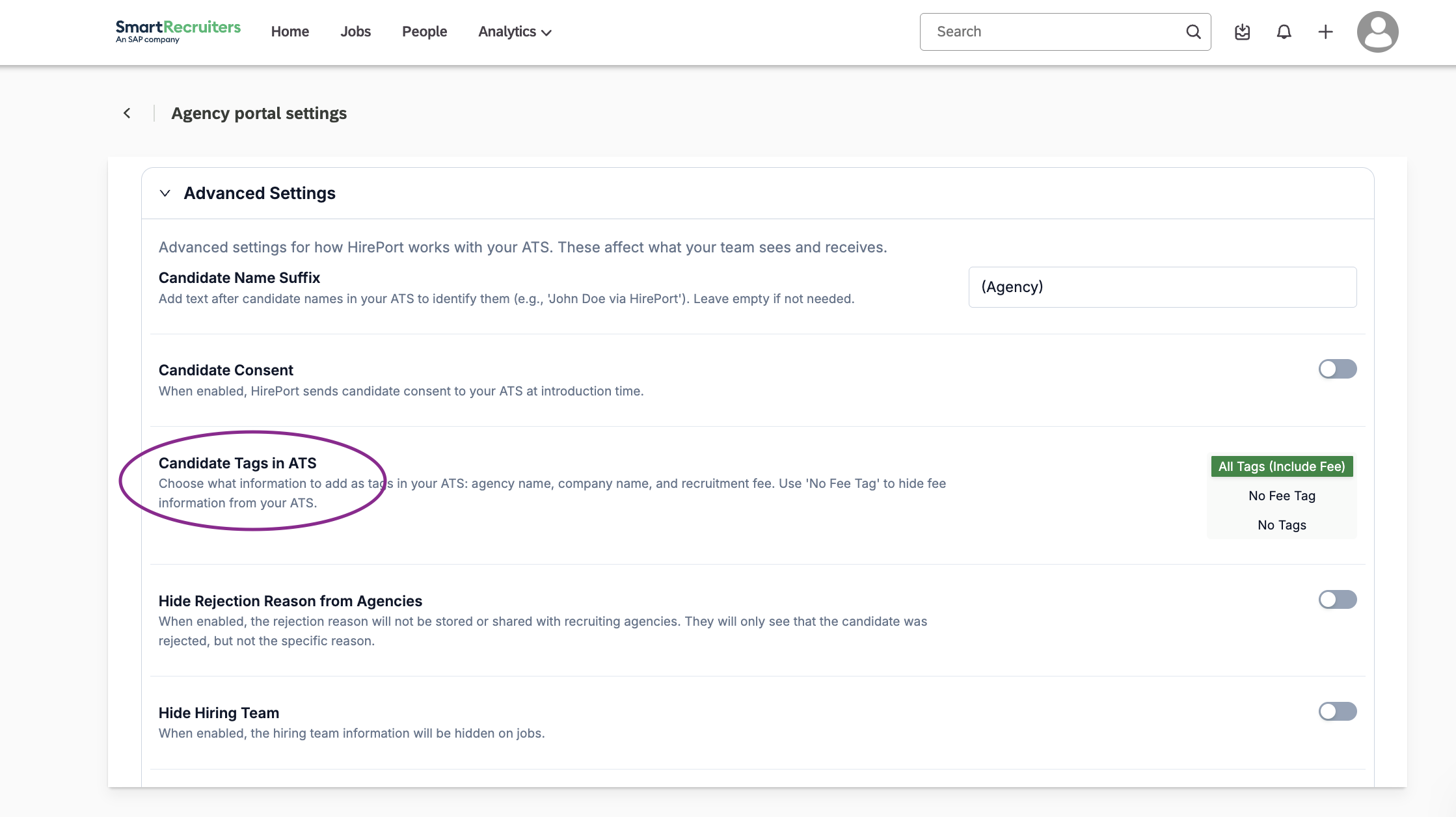
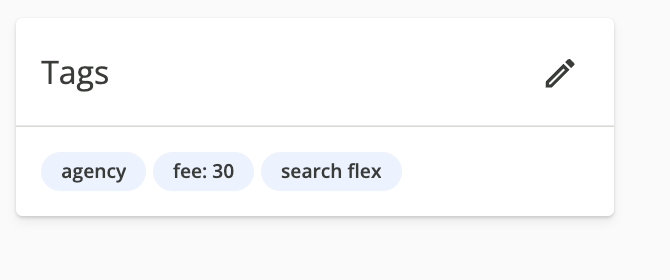
When Candidate tags in ATS in the Agency Portal Settings is turned on, agency-submitted candidates automatically receive three tags on their candidate profile identifying them as agency-submitted, including a tag with the agency's name.
To turn this setting on:
Navigate to Settings.
Open Agency Portal Settings.
Select Advanced Settings
For Candidate tags in ATS, you can choose between All Tags (include fee), No Fee tag, No tags.
Identifying candidates by a name suffix
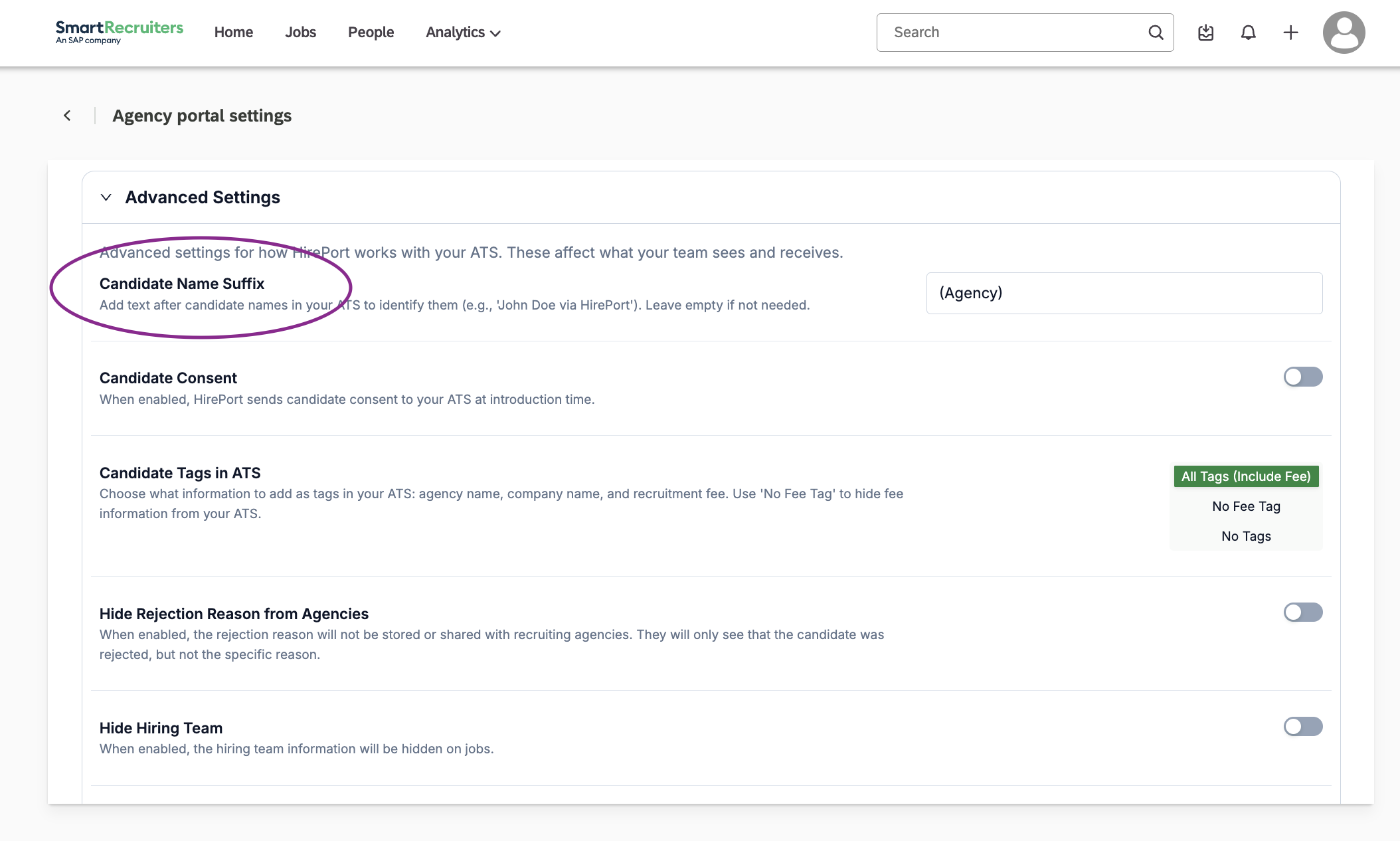
You can also identify agency candidates (prior to opening their candidate profile) by adding a suffix to their name.
Navigate to Settings.
Open Agency Portal Settings.
Select Advanced Settings.
In the Agency Candidate Suffix field, enter a suffix you want to use to identify agency candidates.
Note: This suffix is recognized as a part of the last name in SmartRecruiters.
Troubleshooting
Tags aren't appearing on candidate profiles: check that Candidate tags in ATS is turned on (Settings > Agency Portal Settings > Advanced Settings > Candidate tags in ATS).
The source still shows the agency's name instead of a generic label: confirm a label is entered under Settings > Agency Portal Settings > ATS Integration > Candidate Source Label.
Need help?
Contact SmartRecruiters support.