Sharing Jobs with Agencies
Last updated: June 16, 2026
This article explains how to share your open jobs with external agencies so they can start submitting candidates.
In this article
How sharing jobs works
Share a job with individual agencies
Share a job with an agency list
Schedule when a job becomes visible to agencies
How job sharing works
Once an agency accepts your invitation and completes registration, they can immediately begin submitting candidates, but only for jobs you've explicitly shared with them.
You can share jobs with individual agencies or with entire agency lists at once. You can also schedule a future date and time for when the job becomes visible.
Share a job with individual agencies
Go to the Jobs section
Select the relevant job
Click Assign Agencies
Under All Agencies, check the box next to each agency you want to add
Click Apply +[number] to confirm
Share a job with an agency list
To add multiple agencies at once, use a pre-configured agency list.
Go to the Jobs section
Select the relevant job
Click Assign Agencies
Under Agency Lists, check the box next to the list you want to add
Click Apply +[number] to confirm
All agencies within that list will be connected to the job in one step.
Schedule when a job becomes visible
Instead of sharing a job immediately, you can set a future date and time for when selected agencies or lists will gain access.
Go to the Jobs section
Select the relevant job
Click Assign Agencies
Select the agencies or agency lists you want to schedule
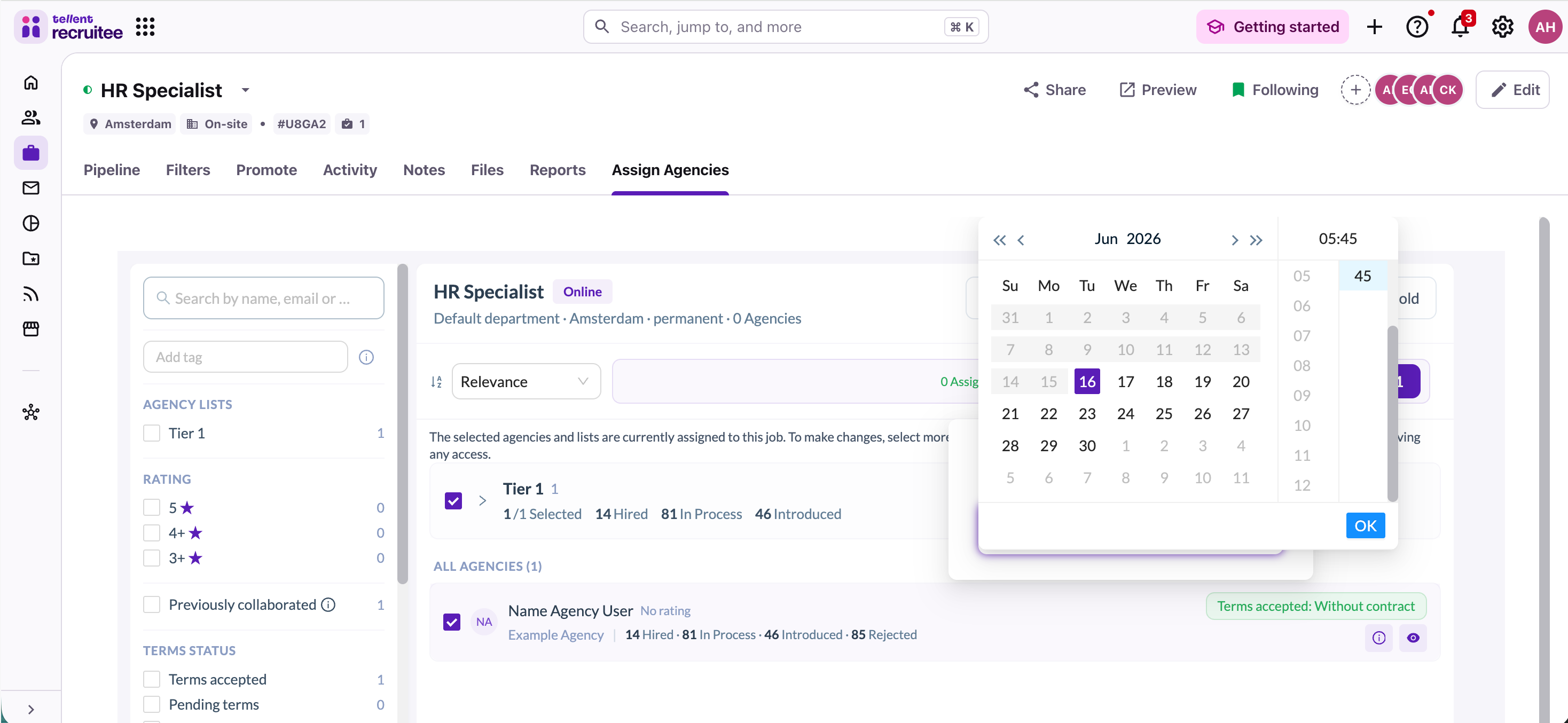
Click Schedule (next to the Apply button)
In the Schedule New Assignments panel, select your desired date and time
Click OK to confirm
The job will become visible to the selected agencies at the scheduled date and time.
Troubleshooting
An agency isn't appearing in the list
The agency may not have been invited yet. Follow this process to invite the agencies you'd like to work with, first.
I don't see the Schedule option
Make sure you have at least one agency or agency list selected (the Schedule button only becomes active once a selection is made).
I accidentally added the wrong agency
You can remove agency access from the same Assign Agencies screen. Simply deselect them and click confirm.
Need help?
Contact Recruitee support.