What job details do agencies see?
Last updated: June 17, 2026
What agencies see from your job posting in Recruitee:
Job title
Hours per week
Job description
Compensation & benefits
Working conditions
Screening questions (if turned on in the Agency Portal Settings).
The hiring team (if you don't hide this in the Agency Portal Settings).
Application process (as set as default in the Agency Portal Settings).
What you can add specifically for agencies:
Company information (number of employees, company culture, about-section, male/female % of employees, average age, dresscode, USP, companies candidates may not come from).
More detailed job information (job description in 2 sentences, projects the team is working on, tech used in company, weekly tasks the candidate is working on).
Desired candidate profile (ideal candidate, must haves, preferable skillls, preferable soft skills, industry experiences, mimimum required languages, preferable language, education mimimum, education nice to have, certification minimum, certification nice to have, remote working pissibilities, visa sponsorship - IND registration, relocation possibilities and package).
What is offered section (holidays, monthly bonus, annual bonus, mobility budget, extras, career path)
Team info (number of team members, spoken languages, other team roles, number of people, colleague quotes)
To view agency perspective:
Open a job in Recruitee
Click Assign agencies
Select Supplier job
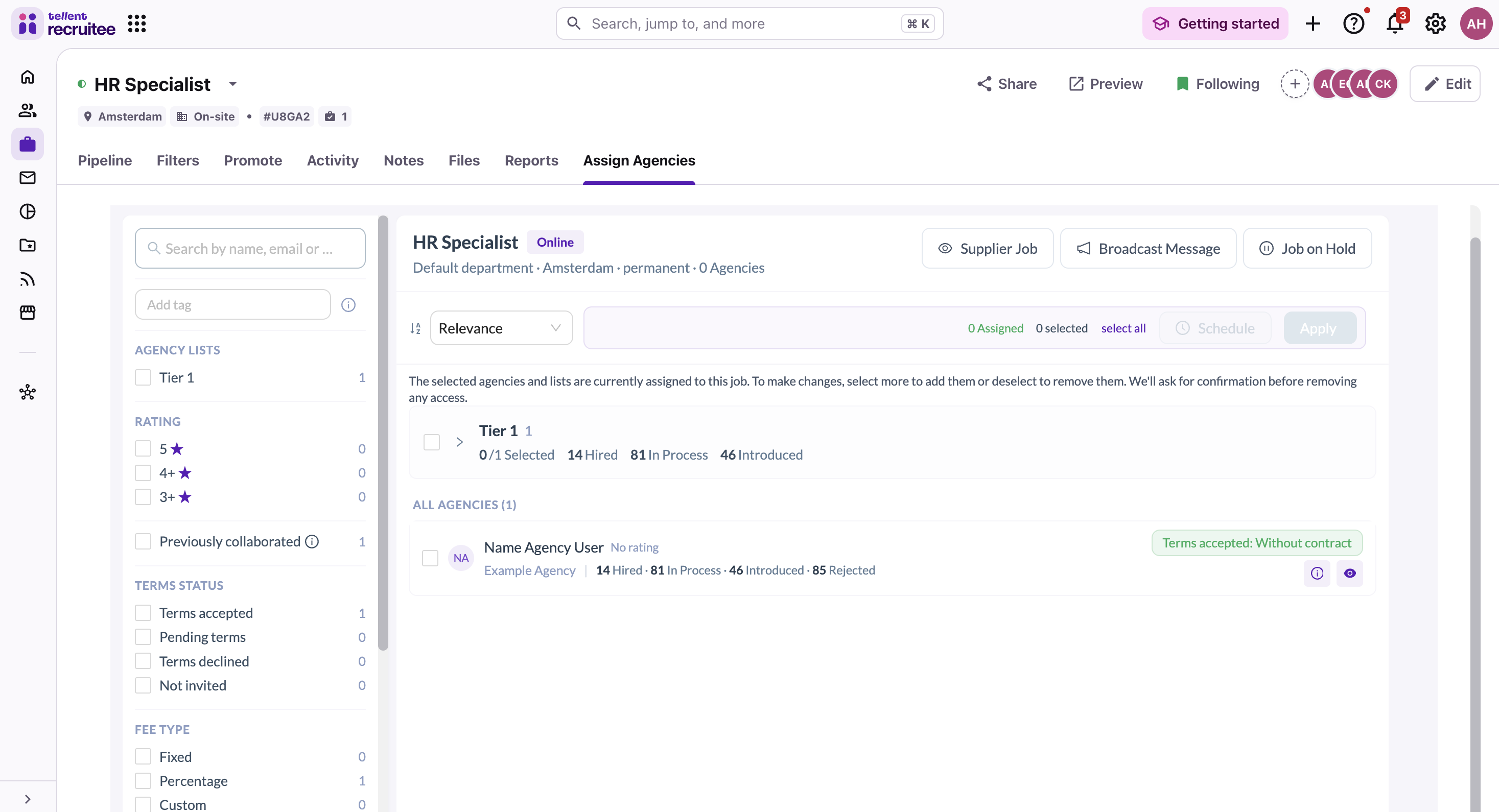
Review and edit
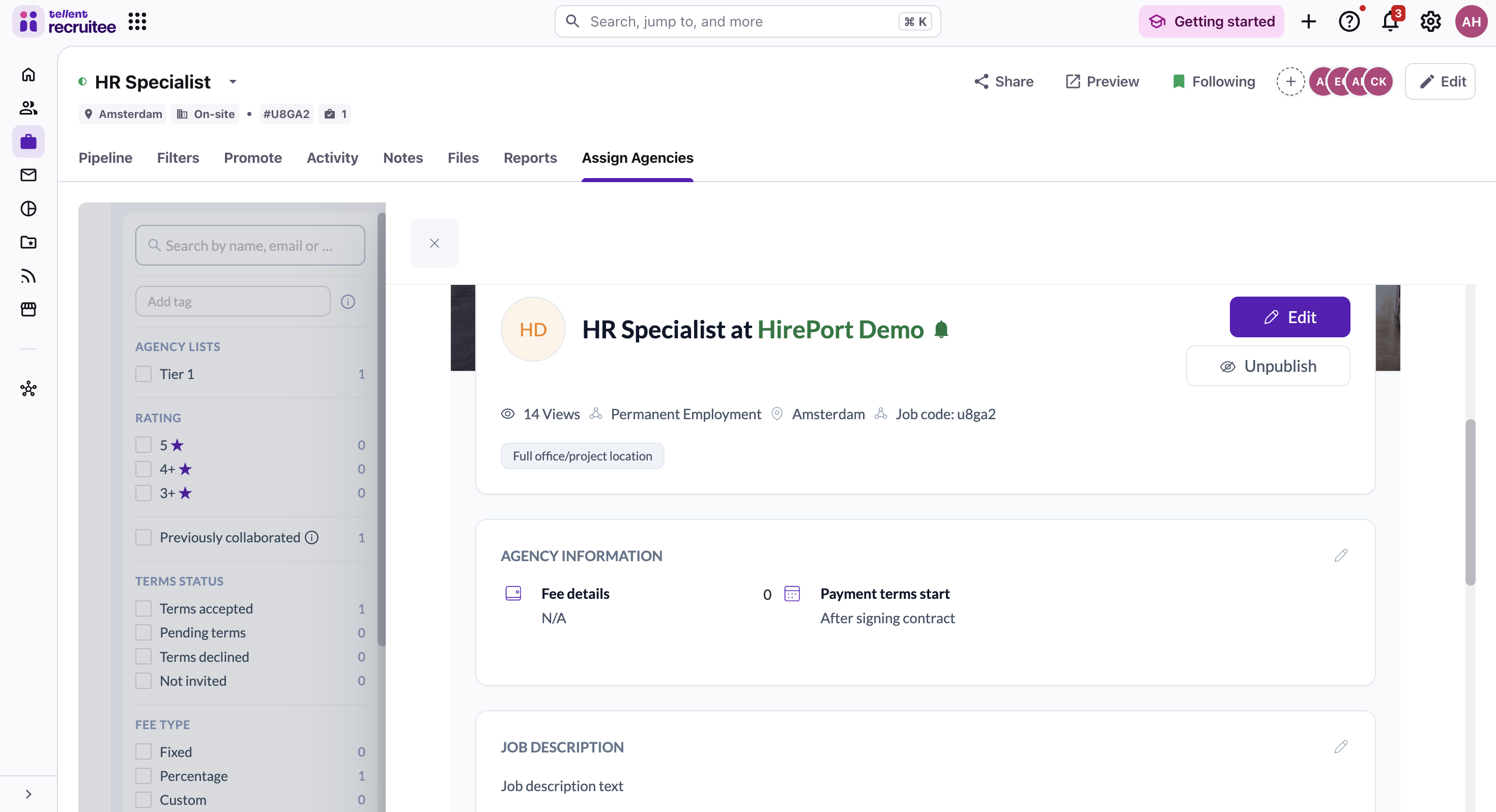
Note: Changes only affect selected agencies, others won't see the job.
Need help?
Contact Recruitee support.