Contacting clients and HirePort support
Last updated: October 12, 2026
Clear communication with clients is essential for successful recruitment partnerships. HirePort provides dedicated messaging channels so your questions always reach the right people quickly and efficiently.
In this article
Sending Candidate-Specific Messages
Sending Job-Specific Messages
Best Practices
Troubleshooting
Help & Support
Messaging a client (candidate-specific matters)
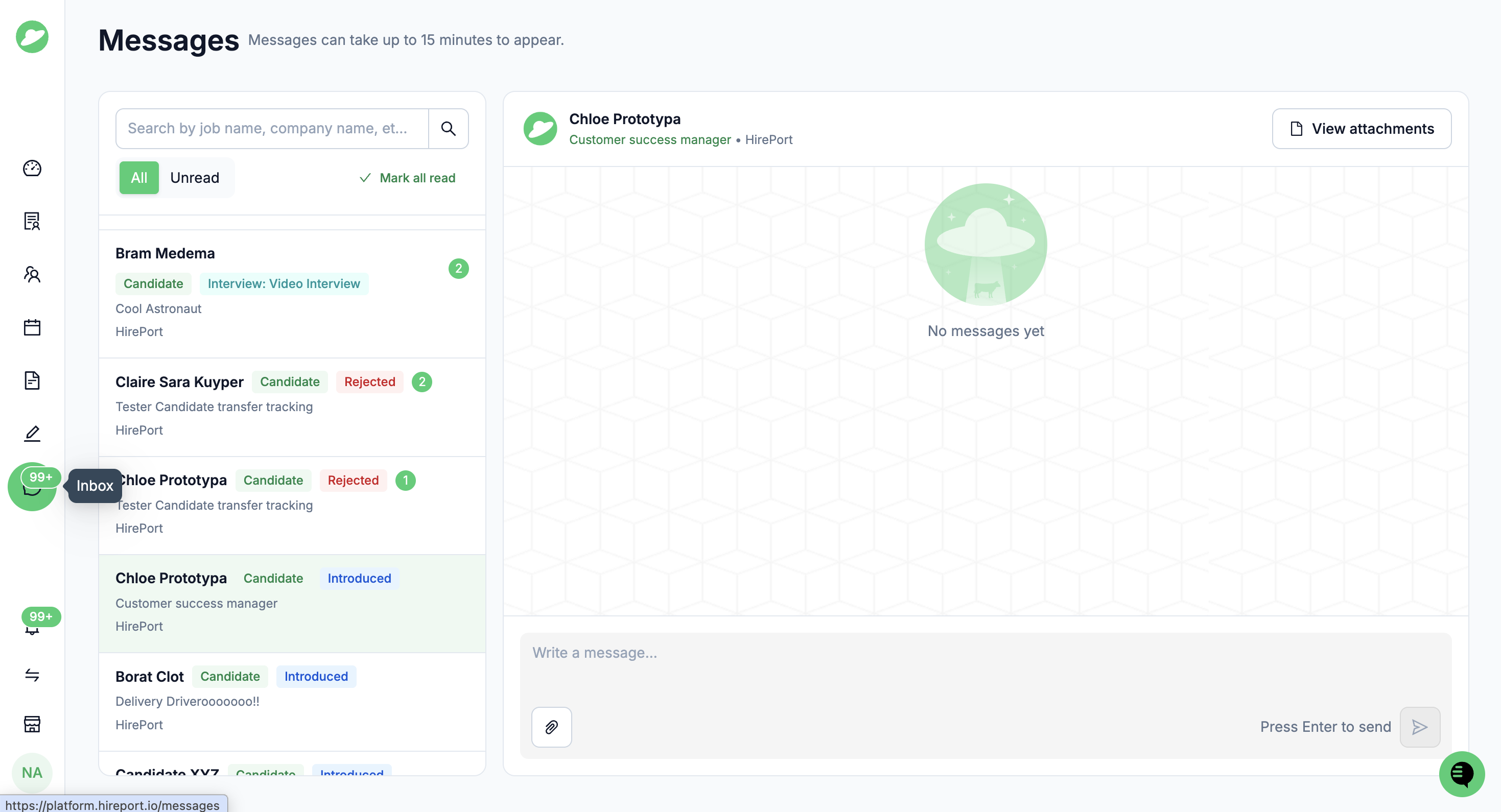
You can contact a client directly through the Agency Chat section in HirePort.
Click the inbox icon in the left-hand navigation menu.
Under Companies, select the client you want to message (e.g. Marketplace integrations) and select the candidate your message is related to.
The conversation thread will open on the right side of the screen.
Click "Write a message..." at the bottom of the conversation.
Type your message and click the send button to deliver it.
Use this thread for:
Candidate status updates
Interview scheduling
Feedback discussions
Any vacancy-specific questions
💡 Each candidate has its own dedicated conversation thread, so your communication history stays organised and easy to follow.
Messaging a client (job-specific matters)
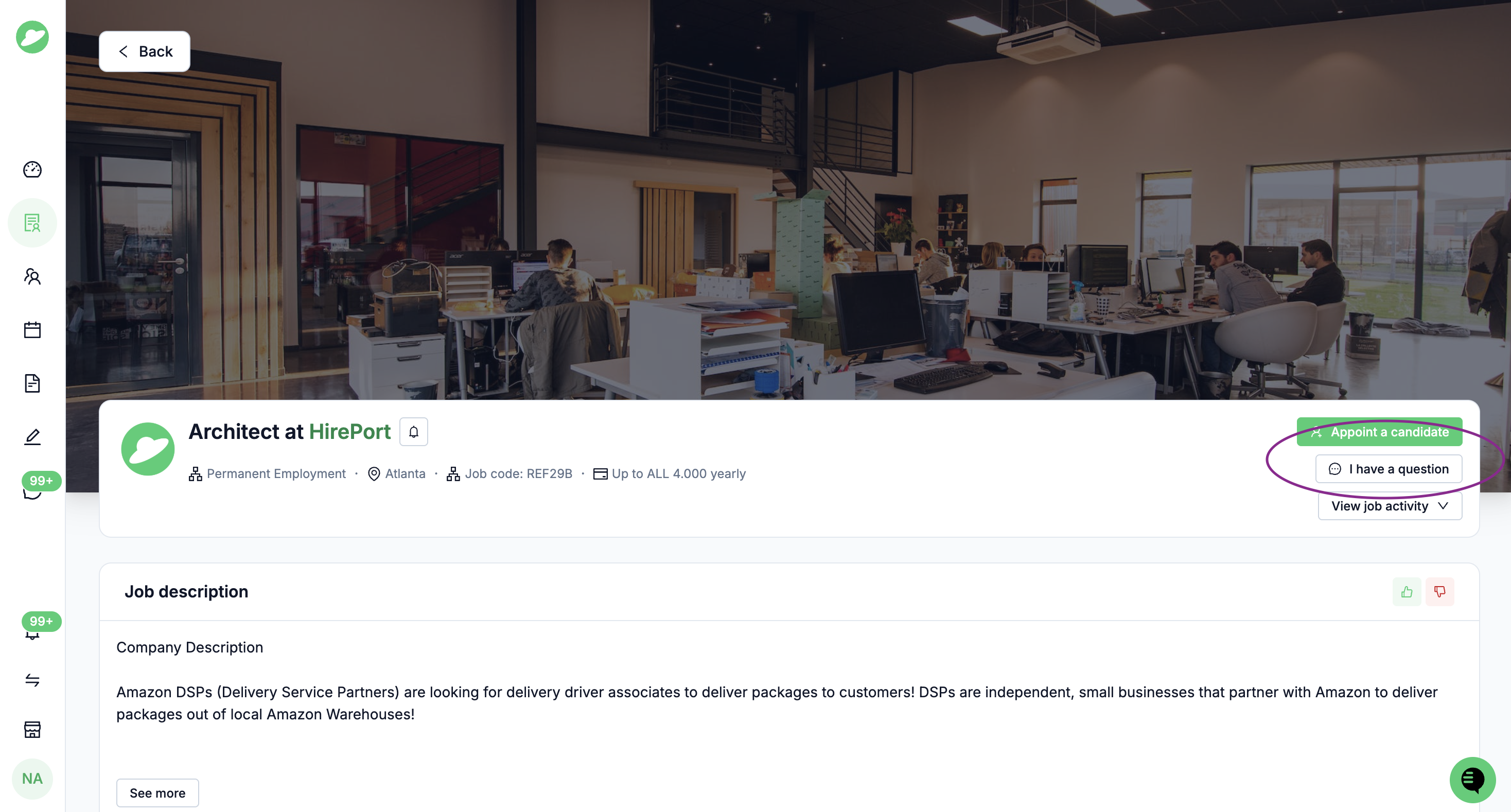
If you have a question about a specific vacancy, you can reach out to the client directly from the job page.
Go to your Jobs overview and click on the job you want to ask about.
On the job page, click the "I have a question" button on the right side of the screen.
💡 This opens a conversation with the client linked to that specific job, keeping your question in the right context.
Best Practices
Keep technical questions for HirePort support (see below).
Check your inbox regularly and respond promptly to stay on top of client communications.
Keep your messages clear and concise to avoid delays.
Troubleshooting
I sent a message but the client hasn't responded. Check that your message was sent successfully: it should appear in the conversation thread with a timestamp. If there is no response after a reasonable time, follow up through the same thread.
I can't see a candidate in my inbox. Candidate threads are created when a candidate is introduced to a vacancy. Verify that the candidate has been uploaded and introduced to the correct job.
I can't tag anyone in the chat. No, tagging specific people is not available in the Agency Chat.
Need Help?
Check our knowledge base for detailed guides and tips
For support, click the ? in the bottom right corner of HirePort to start a chat
Not logged in? Email your question to support@hireport.io
For job-specific questions, reach out to your customer through the chat functionality
Remember: Your success is our success. We're here to help you make the most of HirePort!