First-time enablement
Last updated: February 6, 2026
This guide walks you through the process of integrating the Advanced Agency Portal with your SmartRecruiters account. The Advanced Agency Portal enables direct hiring through agencies from your Applicant Tracking System (ATS).
In this article:
Before you begin
Integration steps
Access SmartRecruiters
Navigate to integration setting
Find advanced agency portal
Initialize integration
Authentication
Verify connection
Troubleshooting
Next steps
Help & support
Before you begin
Confirm you have admin access
Have your company details ready
Prepare agency contact information
To ensure a smooth setup process, gather eoirtssential access and documentation beforehand.
Integration Steps
1. Access SmartRecruiters
Navigate to your SmartRecruiters dashboard by visiting https://smartrecruiters.com/app/home/
2. Navigate to Integration Settings
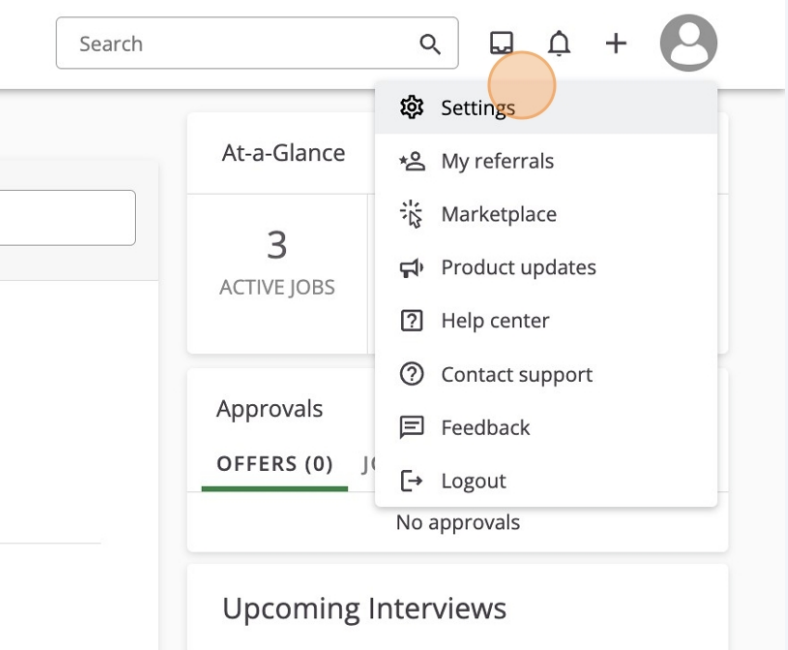
1. Click on your profile icon in the top-right corner
2. Select "Settings" from the dropdown menu
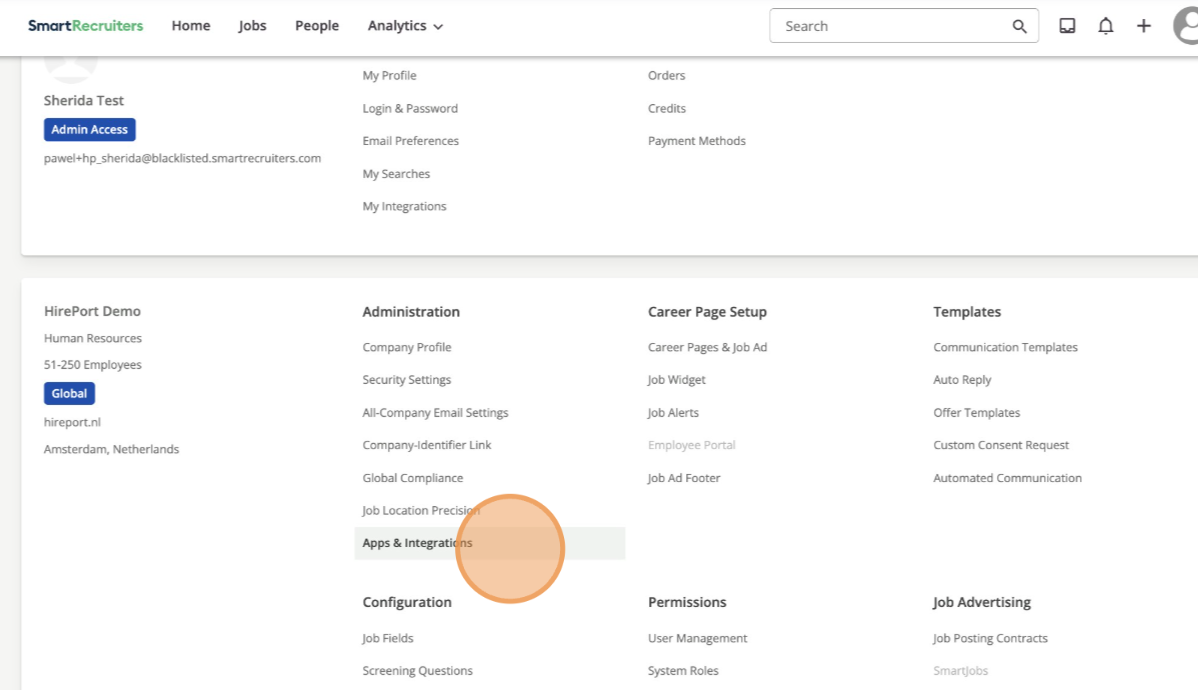
3. Click on "Apps & Integrations" in the settings menu
3. Find Advanced Agency Portal
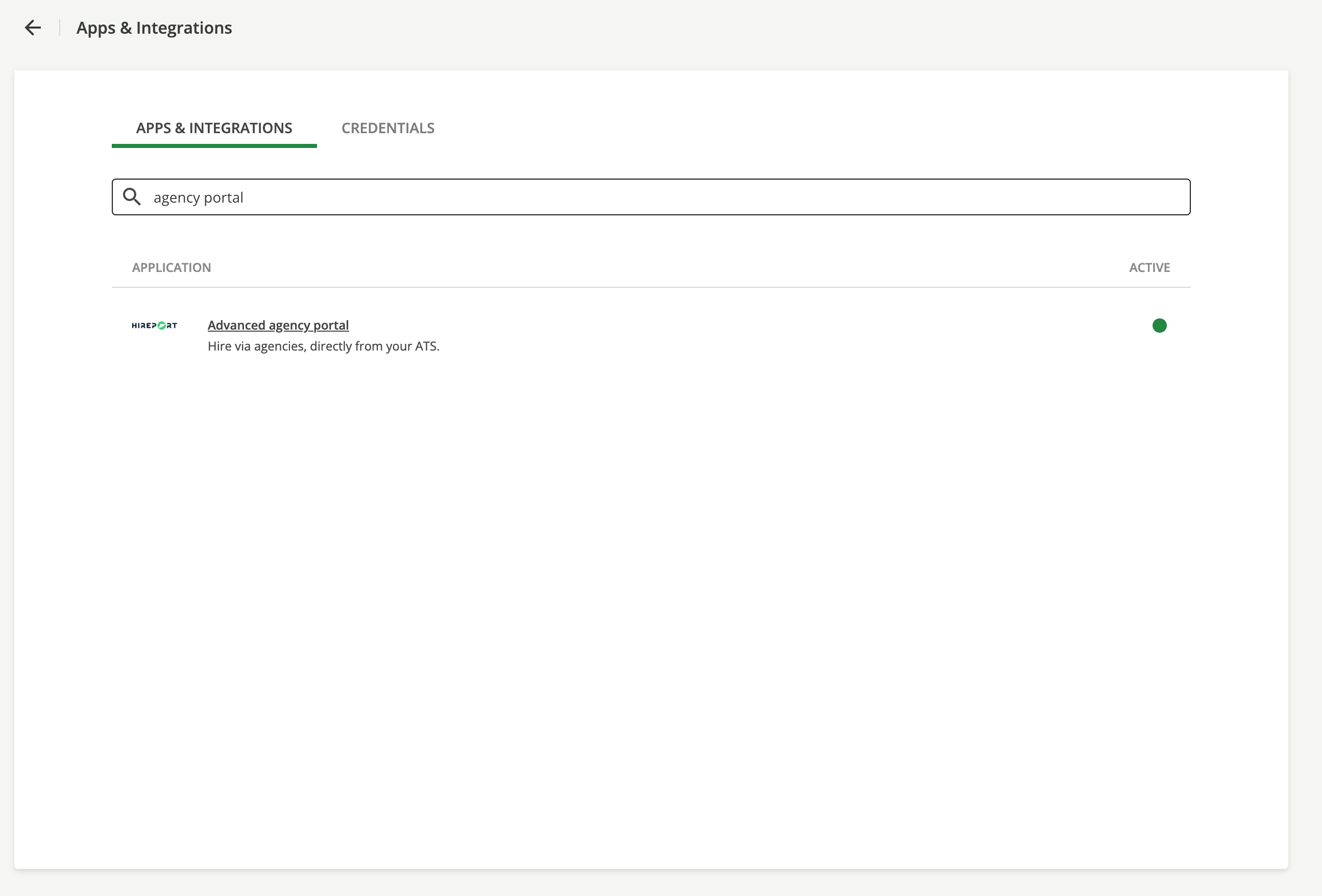
1. Locate the search bar at the top of the Apps & Integrations page
2. Type "Advanced Agency Portal" in the search field
3. Click on "Advanced Agency Portal Integration" when it appears in the search results
4. Initialize Integration
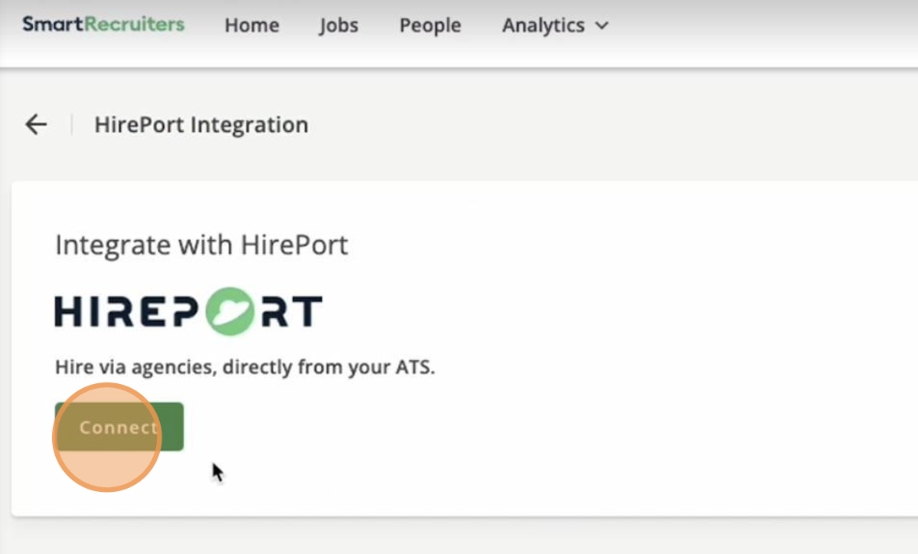
1. Click the "Connect" button on the Advanced Agency Portal
integration card
2. Review the integration capabilities in the popup window:
- Add result links
- Create applications and candidates
- Manage tags
- Read document attachments
- Set application stage
3. Click "Continue" to proceed
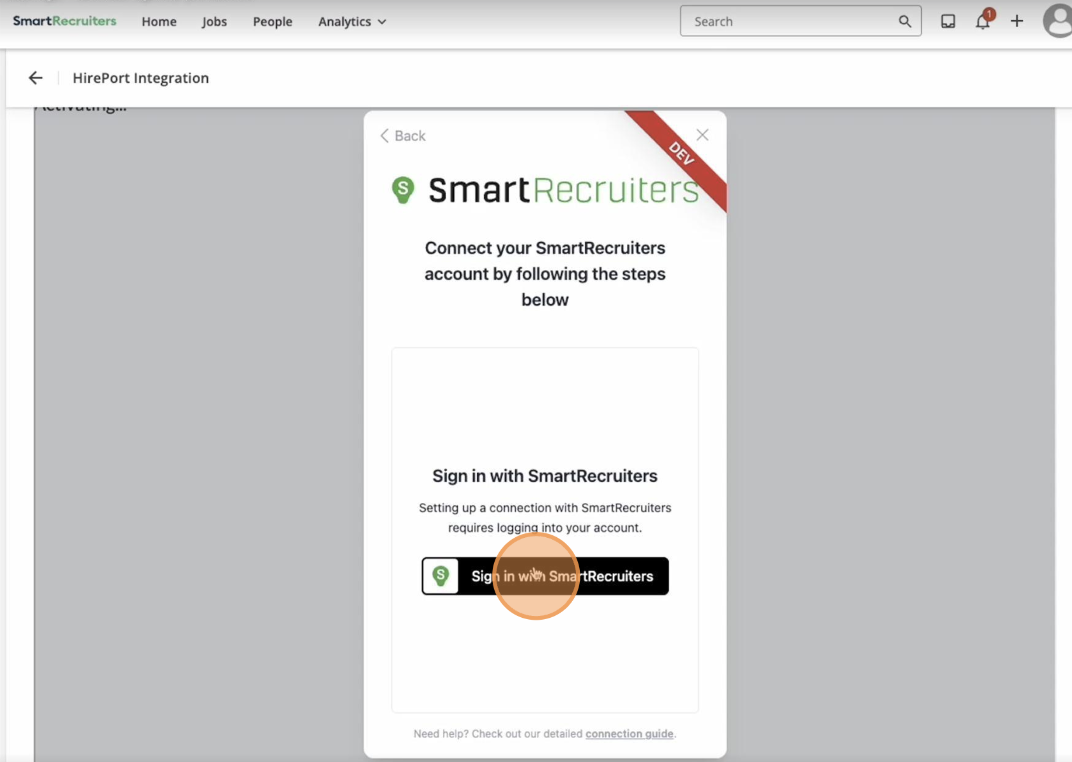
5. Authentication
1. Click "Sign in with SmartRecruiters"
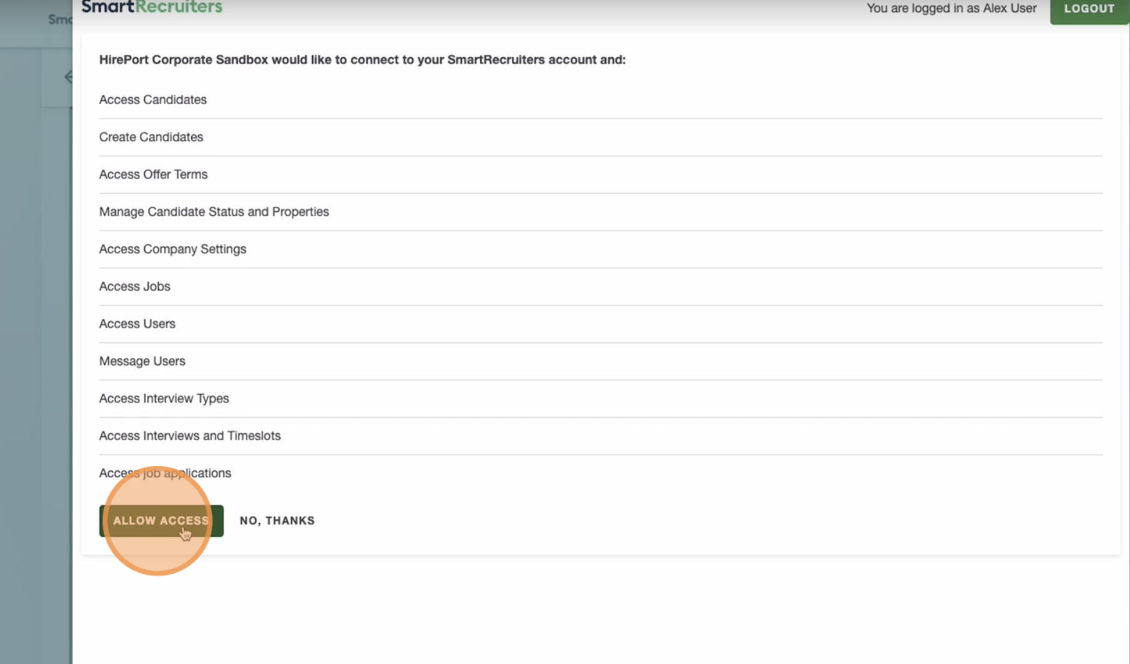
2. A new authorization window will open
3. Review the requested permissions
4. Click "Allow Access" to grant Advanced Agency Portal
the necessary permissions
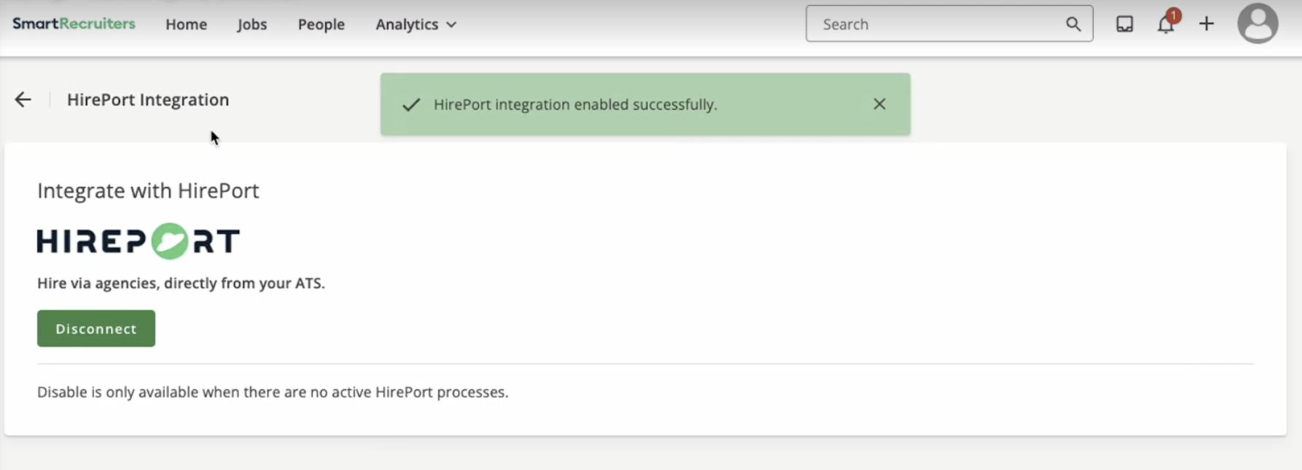
6. Verify Connection
Once completed, you should see a success message indicating "Advanced Agency Portal
integration enabled successfully" on your screen.
Troubleshooting
If you don't see the success message or encounter any issues during the integration process:
Ensure you have the necessary administrative permissions
Clear your browser cache and try again
Contact SmartRecruiters technical support for assistance with account activation
Next Steps
After successful integration, you can begin:
Managing agency relationships through the Advanced Agency Portal
Creating and tracking agency-sourced candidates
Monitoring recruitment processes directly from your SmartRecruiters ATS
Need help?
Contact SmartRecruiters support.