Managing contracts in HirePort
Last updated: March 27, 2026
This article explains how your pre-existing employer relationships and negotiated fee arrangements are handled when using HirePort, and what to expect during the setup process.
In This Article
How existing contracts are continued on HirePort
How previous fee arrangements are preserved
The implementation process for existing relationships
Troubleshooting common issues
How Existing Contracts Are Continued
If you already have an established relationship with an employer, your existing agreement can continue on HirePort — but only if the following two conditions are met:
The employer (client) uploads the existing contract to HirePort
You (the agency) accept the uploaded contract upon invitation by the client during the account creation process
Once both steps are completed, the terms documented in that contract, including fees and any other previously agreed arrangements, remain valid. If the contract has not been uploaded and accepted, previous terms do not automatically apply on HirePort.
How Your Fee Arrangement Is Preserved
Your previously negotiated fees and terms are only preserved if they are included in the contract uploaded by the employer and accepted by you. This includes:
Your negotiated fee rates — these continue to apply only if documented in the accepted contract
Employer-paid service fee arrangements — only valid if this is reflected in the uploaded and accepted contract
Important: No previous arrangement, including fee rates or special terms, carries over automatically. Everything depends on what is stated in the contract that has been uploaded and accepted on the platform.
Implementation Process
When onboarding to HirePort with an existing employer relationship, follow these steps:
The employer uploads the existing contract to HirePort during their onboarding process.
You (the agency) review the contract carefully when you created your account via the activation link to confirm it accurately reflects your previously agreed terms and fees.
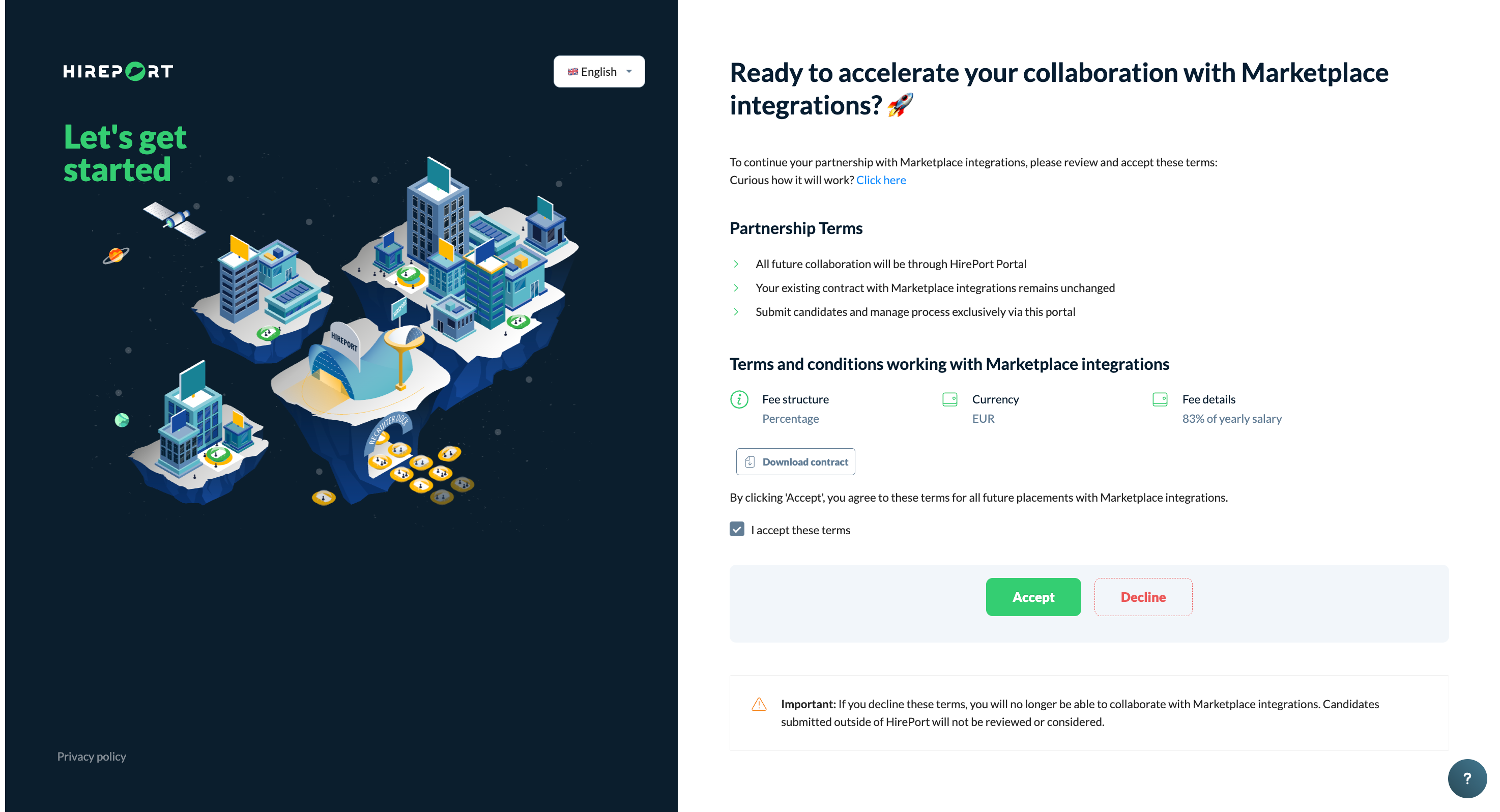
Accept the contract within HirePort to activate those terms on the platform.
Find the contracts in your HirePort environment by clicking the envelope in the left sidebar.
Need help?
Check our knowledge base for detailed guides and tips
For support, click the ? in the bottom right corner of HirePort to start a chat
Not logged in? Email your question to support@hireport.io
For job-specific questions, reach out to your customer through the chat functionality
Remember: Your success is our success. We're here to help you make the most of HirePort!