Viewing Company Profiles
Last updated: March 26, 2026
Company profiles give you a complete picture of your client companies; all in one place. Use them to access company background, culture information, open positions, and real-time updates before making candidate submissions.
In This Article
Accessing a company profile
Reading company information
Exploring company culture
Reviewing your agreement
Viewing open positions
Staying up to date with the activity feed
Support
Accessing a Company Profile
You can open a company profile in two ways:
From the dashboard:
Go to your dashboard.
Click on a company name to open its profile.
From the jobs overview:
Go to the jobs overview.
Click on a job from the company you want to view.
Click on the company name to open its profile.
Reading Company Information
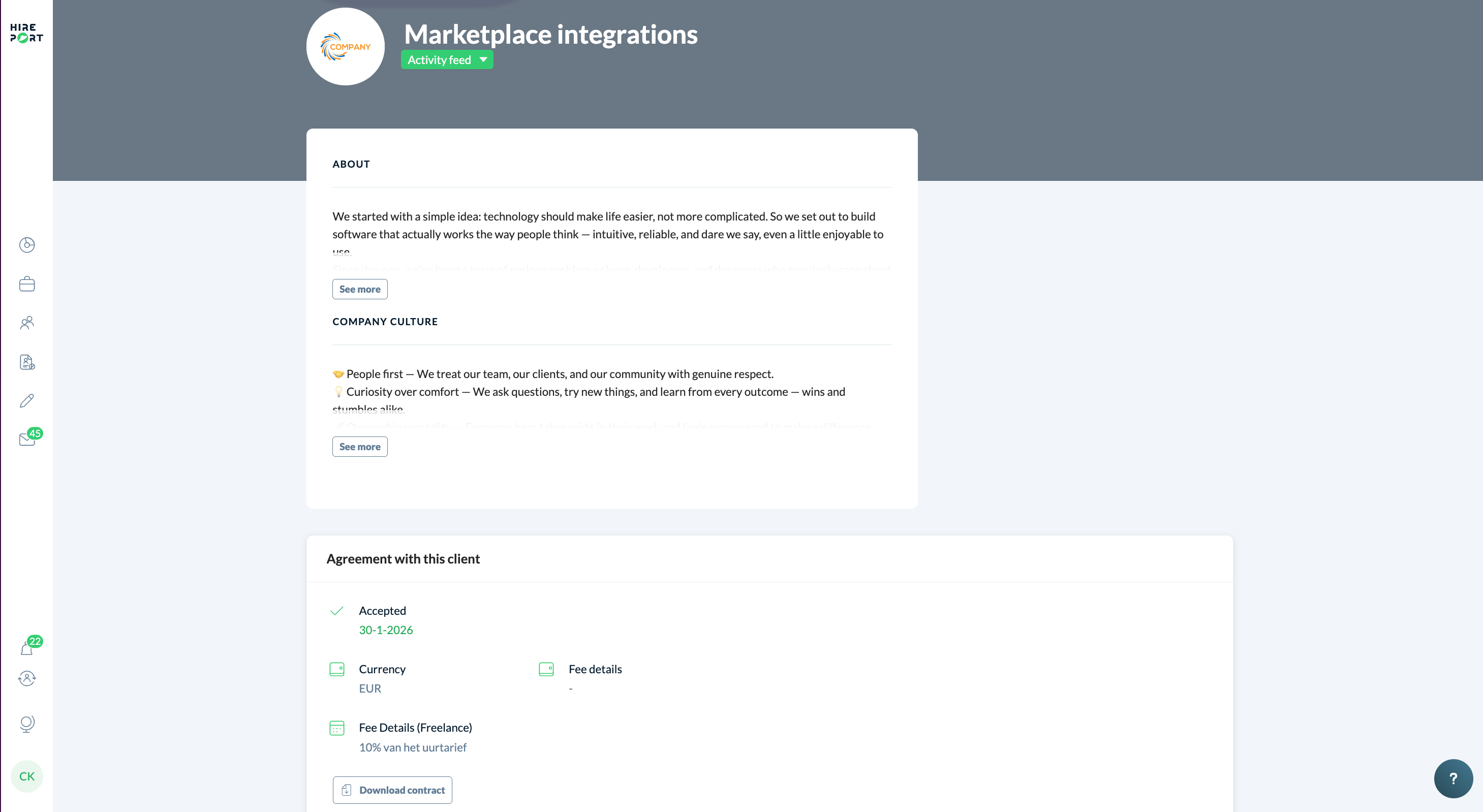
Once you're on a company profile, you'll find an About section at the top of the page.
Read the summary displayed on the page.
Click See more to expand the full description.
Exploring Company Culture
The Company Culture section helps you understand what makes the company tick before submitting candidates.
Scroll to the Company Culture section on the profile.
Click See more to read the full culture details.
Reviewing Your Agreement
The Agreement with this client section shows the commercial terms agreed with that company. Here you can find:
Status - whether the agreement has been accepted, including the acceptance date.
Currency - the currency used for fees (e.g. EUR).
Fee Details - the freelance fee structure (e.g. a percentage of the hourly rate).
Fee Details - any additional fee information relevant to the agreement.
You can also click Download contract to save a copy of the agreement.
Viewing Open Positions
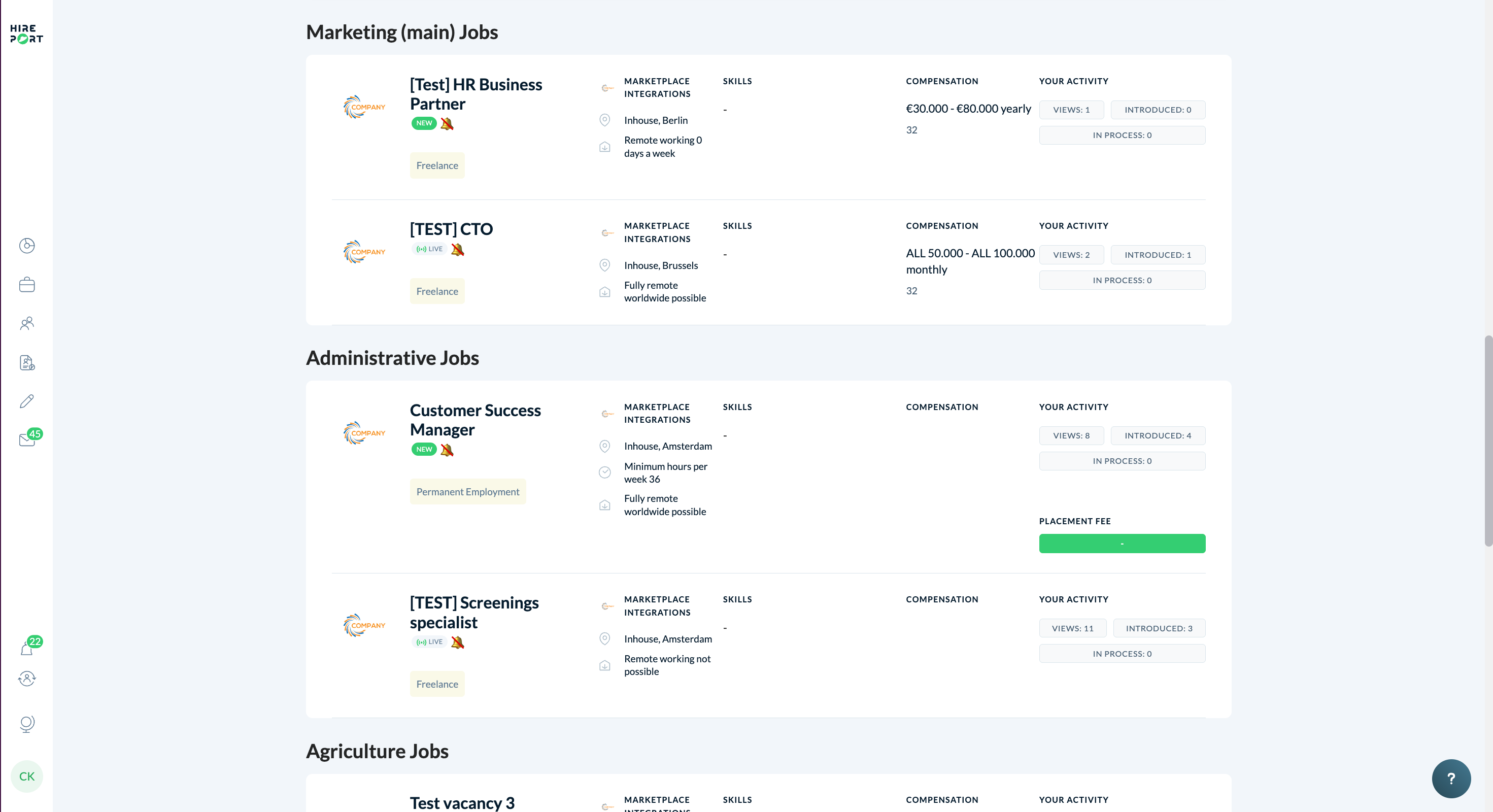
Open positions you are connected to are listed and grouped by job category (for example, Marketing Jobs, Administrative Jobs, Agriculture Jobs). For each position you can see:
Job title and employment type (e.g. Freelance, Permanent Employment)
Location and remote working policy
Compensation range
Your activity; including the number of views, introductions made, and candidates in process
Need help?
Check our knowledge base for detailed guides and tips
For support, click the ? in the bottom right corner of HirePort to start a chat
Not logged in? Email your question to support@hireport.io
For job-specific questions, reach out to your customer through the chat functionality
Remember: Your success is our success. We're here to help you make the most of HirePort!