First-time user walkthrough
Last updated: March 30, 2026
New to HirePort? This guide walks you through everything you need to get your agency up and running — from accepting your invitation to submitting your first candidate. Setup takes around 10–15 minutes.
Why HirePort benefits your agency
HirePort transforms your recruitment process by providing:
Clear candidate ownership and submission tracking
Real-time updates on candidate status and interview stages
Centralized communication with multiple clients in one platform
Professional candidate database management
Setup Guide
Receiving Access
Check your email for the HirePort invitation you get via the company that invites you
Click Get started

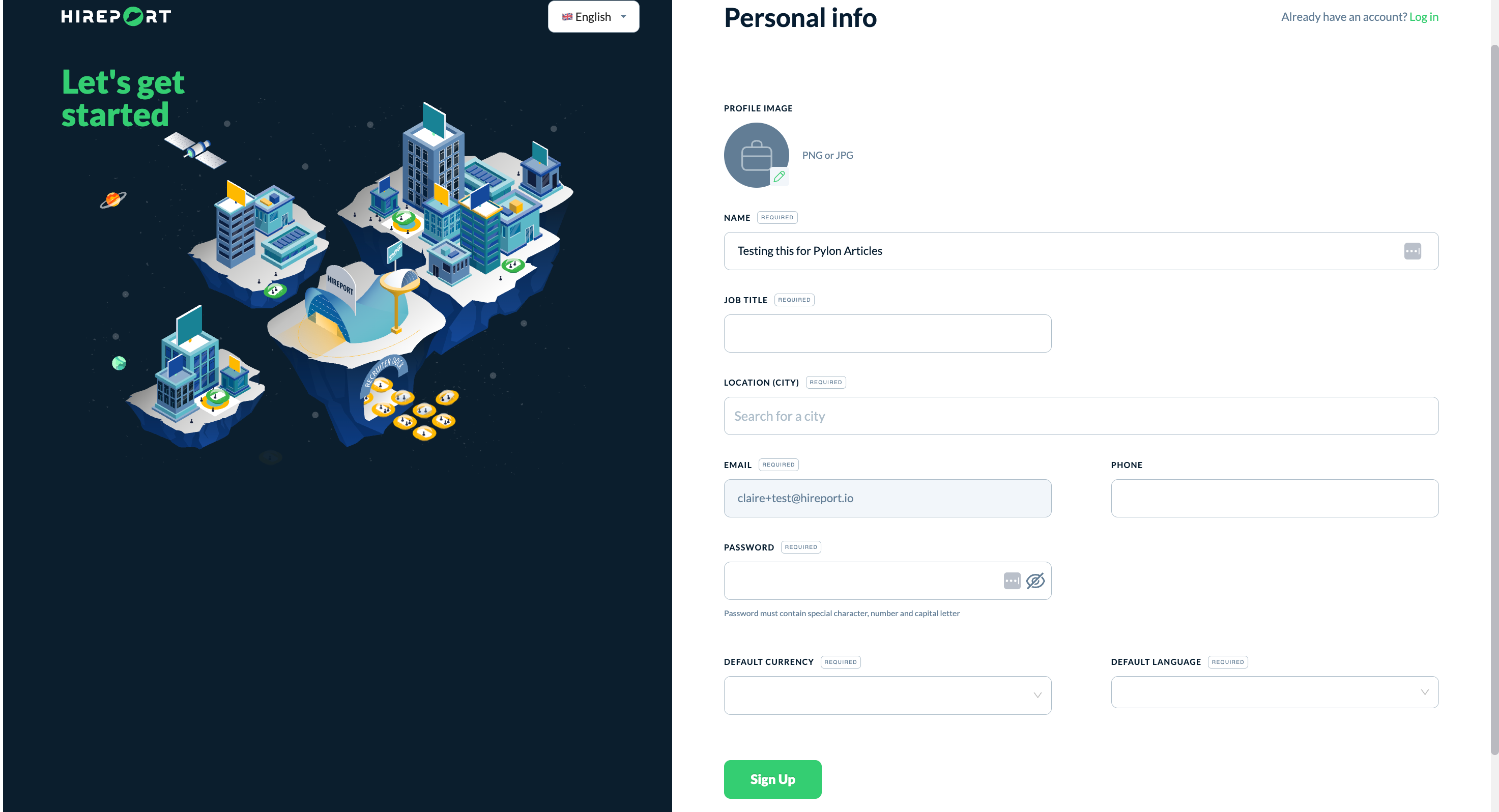
Create your account with a strong password
Profile Configuration
Profile image
Job title
Name
Job title
Location (city)
Phone number (also note country code)
Create password
Select default currency
Select default language
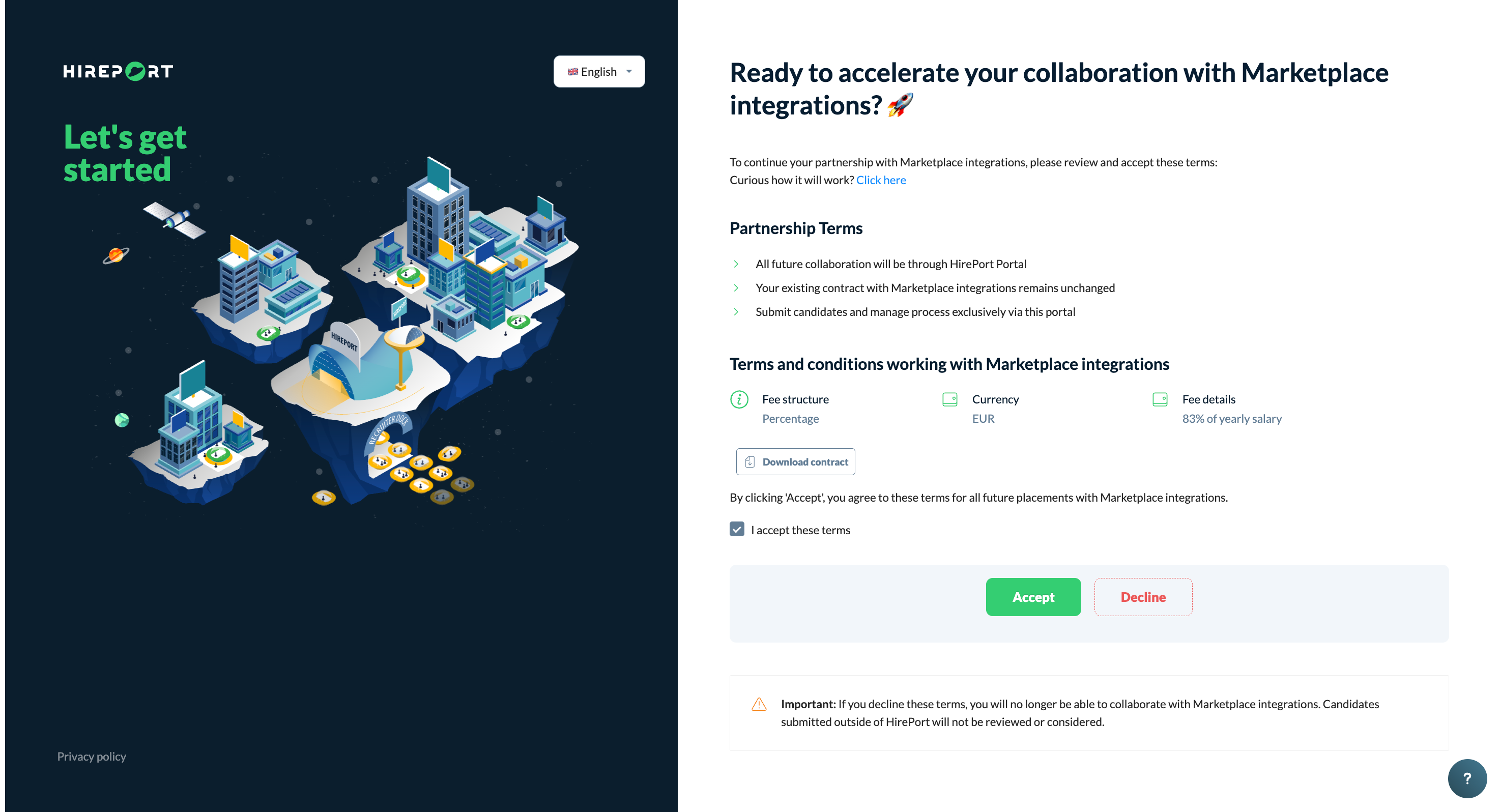
Accepting the partnership terms & conditions input from your client. Review:
fee structure
Currency
fee details
contract document (is applicable)
Click Accept
Set up further preferences (if desired) by clicking your profile picture/initials in the left bottom corner and selecting what you'd like to specify (e.g. notifications).
Platform Familiarization
Explore the dashboard
Review available jobs
Test candidate submission process
Check communication features
FAQ
"Why don't I see any vacancies yet?" Jobs become visible after companies specifically share them with your agency. Once connected, you'll receive notifications when new positions are available.
"Do I need separate logins for different clients?" No! One HirePort login gives you access to all your clients using the platform. You can manage all relationships from a single dashboard.
Need Help?
Check our knowledge base for detailed guides and tips
For support, click the ? in the bottom right corner of HirePort to start a chat
Not logged in? Email your question to support@hireport.io
For job-specific questions, reach out to your customer through the chat functionality
Remember: Your success is our success. We're here to help you make the most of HirePort!