Identifying agency-submitted applications
Last updated: June 17, 2026
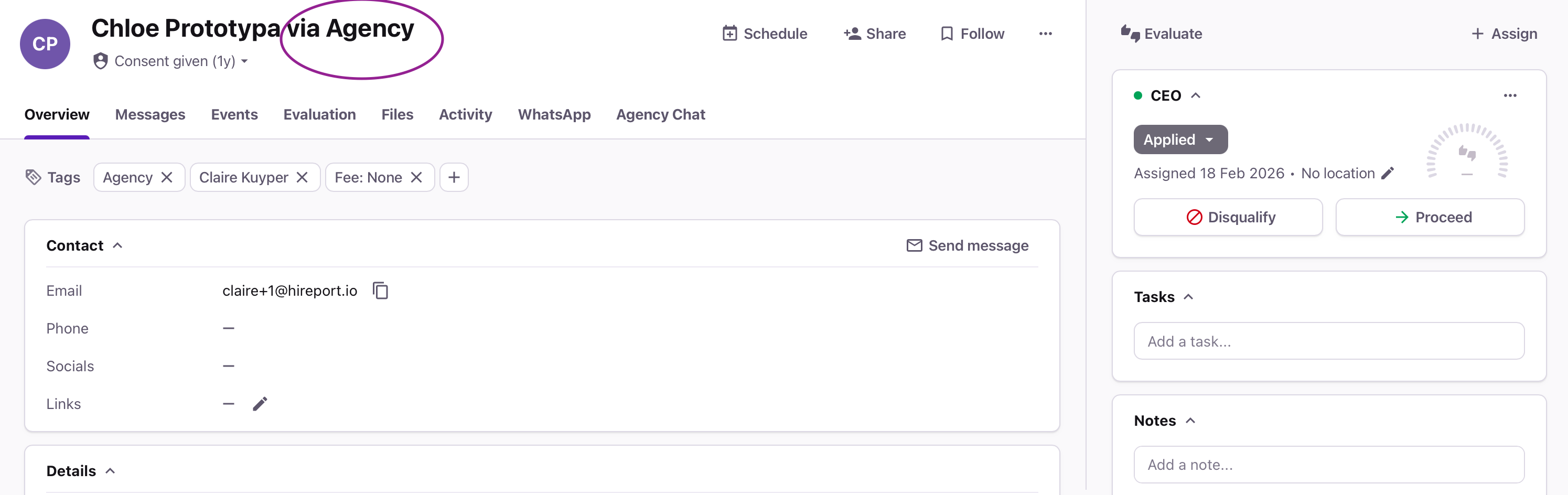
When working with agency partners, it’s important to quickly and clearly distinguish agency-submitted candidates from direct applicants. Recruitee provides multiple ways to identify agency candidates, helping you avoid duplicate outreach, maintain compliance, and keep communication organized.
In this article, you’ll learn how to identify agency candidates by installing a name suffix or using agency tags within candidate profiles.
In this article:
How to identify agency candidates (by installing a name suffix)
How to identify agency candidates (by tags)
Best practices
Help & support
How to identify agency candidates (by installing a name suffix)
Navigate to the AgencyHub in the left side bar.
Open Agency Portal Settings.
Select ATS Integration (Advanced).
In the Agency Candidate Suffix field, enter a suffix you want to use to identify agency candidates.
How to identify agency candidates (by agency tags)
Navigate to your Jobs section
Open the relevant job posting
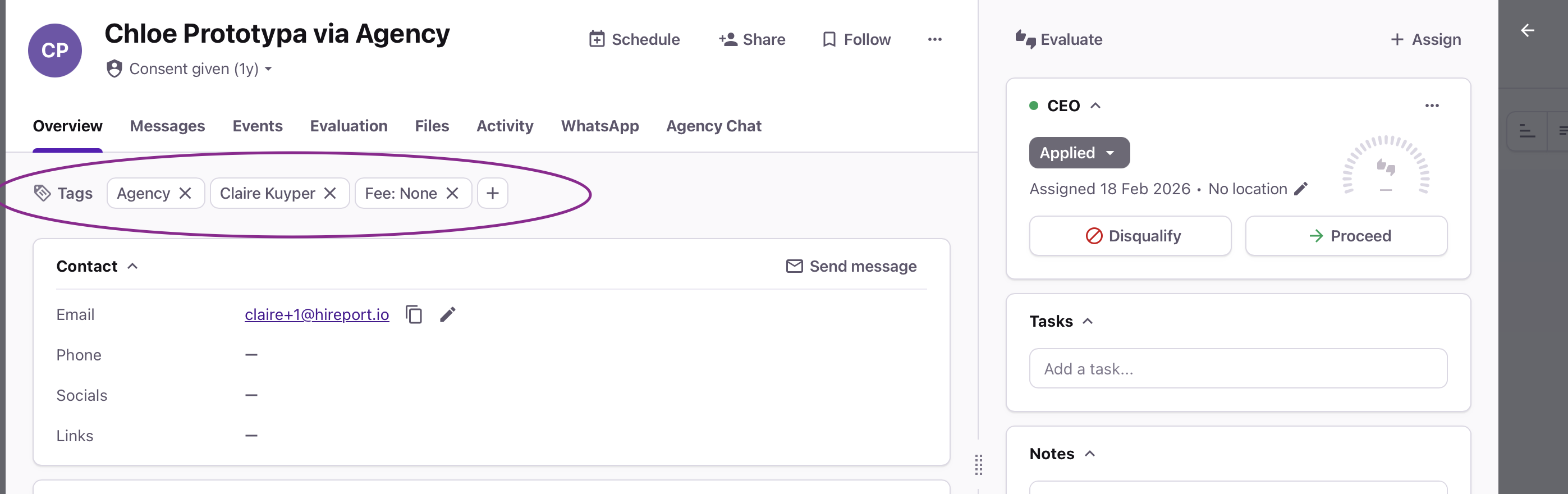
Open a candidate profile and look at the tags. If the candidate is agency submitted, they will have a tag with 'agency', 'fee' and the name of the agency automatically.
Need help?
Contact Recruitee support.