Moving agency candidates through interview stages
Last updated: June 17, 2026
This guide walks you through how to review agency-submitted candidates and move them efficiently through the hiring process in Recruitee. From accessing candidate profiles and reviewing agency notes to scheduling interviews and keeping agencies informed, this article outlines each step to ensure a smooth, transparent, and well-documented workflow.
In this article
Reviewing agency candidates
Accessing agency candidate profiles
Reviewing candidate information and documents
Moving candidates forward in the hiring process
Status updates and agency communication
Interview scheduling with agencies
Getting help and support
Reviewing agency candidates
1. Access candidate profiles
Navigate to Jobs
Select the relevant position
Identify agency candidates & open candidate profile
2. Review candidate information
Check "Notes" section for:
Agency introduction
Salary package details
Secondary employment conditions
Agency's match explanation
Review Documents:
Scroll down to view CV
Check any additional attachments under files tab
Moving candidates forward
Progress steps
Review candidate details
Click Proceed (or the drop down menu above it)
Select appropriate next stage
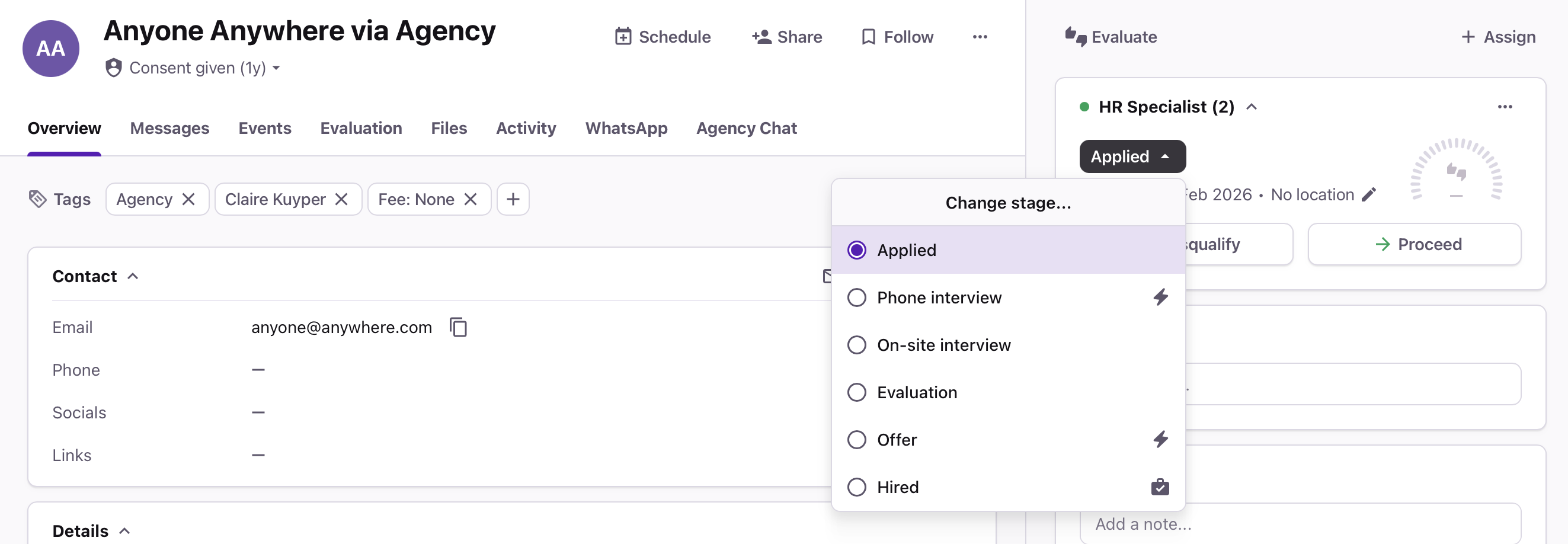
Status updates
Agencies automatically receive updates when candidates move stages
Interview scheduling
Select an interview stage
Agency automatically receives notification
Coordinate timing through chat function
Schedule interview through the regular process in Recruitee (via schedule event button)
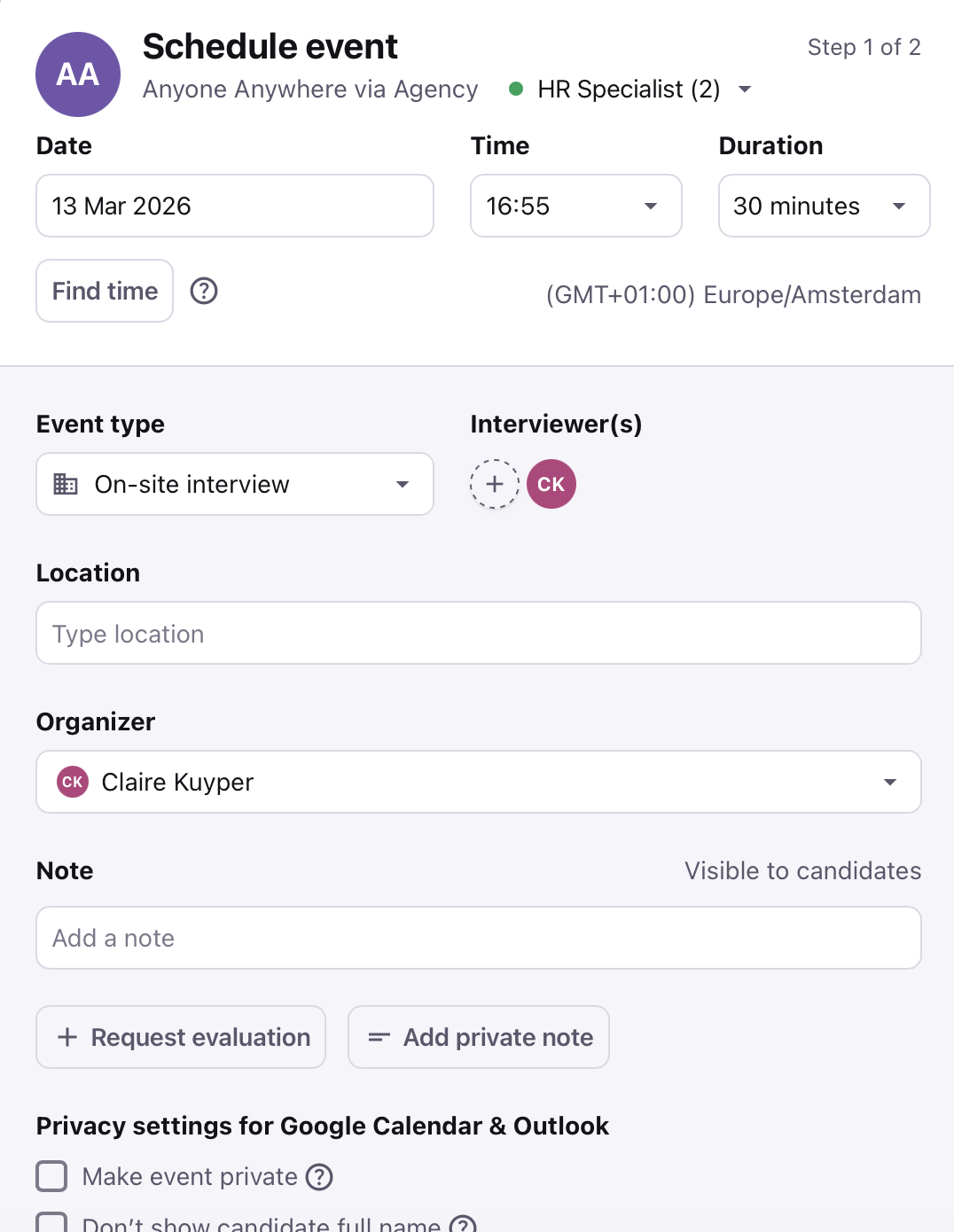
Agency receives notification
Need Help?
Contact Recruitee support.