Candidate Consent
Last updated: June 15, 2026
This article explains how candidate consent is recorded in SmartRecruiters when an agency introduces a candidate through the platform.
In this article
How candidate consent works
Agency responsibilities
Consent visibility in SmartRecruiters
Single vs. separated consent configurations
Troubleshooting
Help & Support
How candidate consent works
When the Candidate Consent setting is enabled, consent is automatically recorded in SmartRecruiters at the moment an agency introduces a candidate.
You can find this setting under:
Settings > Agency Portal Settings > ATS Integration (Advanced) > Candidate Consent
Agency responsibilities
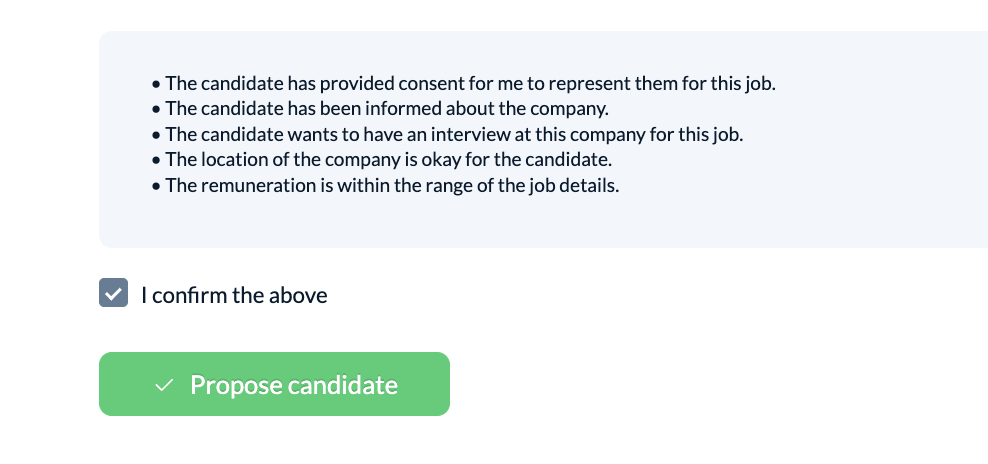
Agencies are responsible for obtaining consent from the candidate before submitting them. By completing a candidate introduction and clicking the check box at the bottom of the introduction page, the agency confirms that consent has already been obtained from the candidate.
Consent visibility in SmartRecruiters
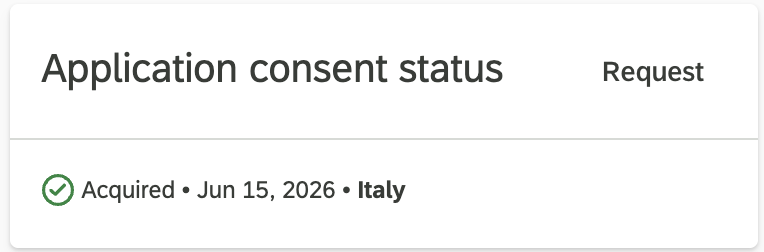
Once a candidate is introduced, their consent status is visible directly on the right side of the candidate profile in SmartRecruiters. The profile shows:
When consent was acquired
Where consent was acquired
Single vs. separated consent configurations
The Candidate Consent setting works with both single and separated consent configurations.
Configuration | What happens |
|---|---|
Single consent | Full consent is passed through to SmartRecruiters |
Separated consent | Only the SmartRecruit specific consent is passed through, this allows the candidate's data to be processed within the system, but not used for other purposes such as marketing |
Troubleshooting
Consent status is not showing on the candidate's profile in SmartRecruiters.
Confirm that the Candidate Consent setting is enabled under Settings > Agency Portal Settings > ATS Integration (Advanced). If the setting is off, consent will not be recorded automatically on introduction.
The agency submitted a candidate but consent was not given.
Agencies are responsible for confirming consent before submission. Introducing a candidate and clicking the checkbox at the bottom of the introduction page acts as confirmation that consent has been obtained. If consent was not in place, the agency should not have proceeded with the introduction.
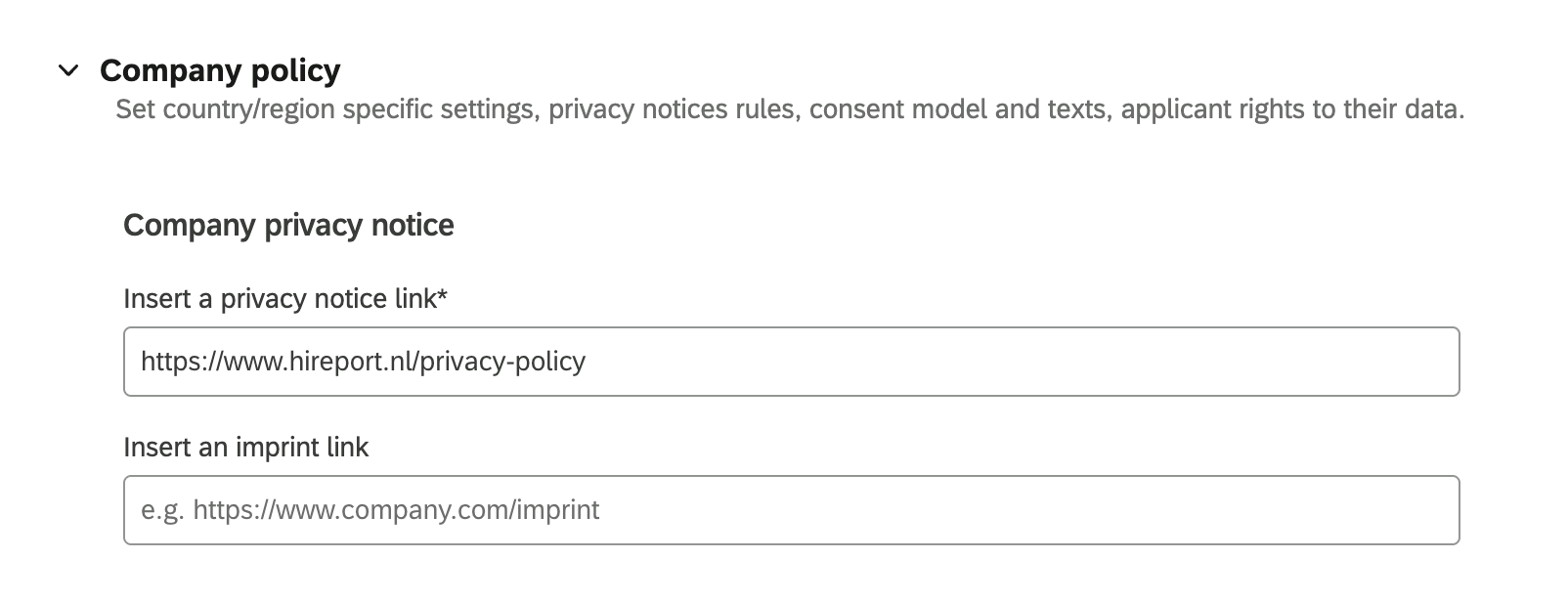
The privacy policy was not configured in the SmartRecruiters setting
Without the privacy notice, candidate consent cannot be acquired. Please navigate to Settings > Global compliance > Edit country/region of choice > add privacy policy link > click save.
Help & Support
If you still need assistance, please contact SmartRecruiters Support.