Job publishing & distribution
Last updated: March 10, 2026
How to publish a job (to agencies)? How to add agencies to a job?
This guide walks you through how to publish a job to external agencies. You’ll learn how to select agencies, confirm publication, and view the agency view.
Quick steps
Access Jobs section
Select your job
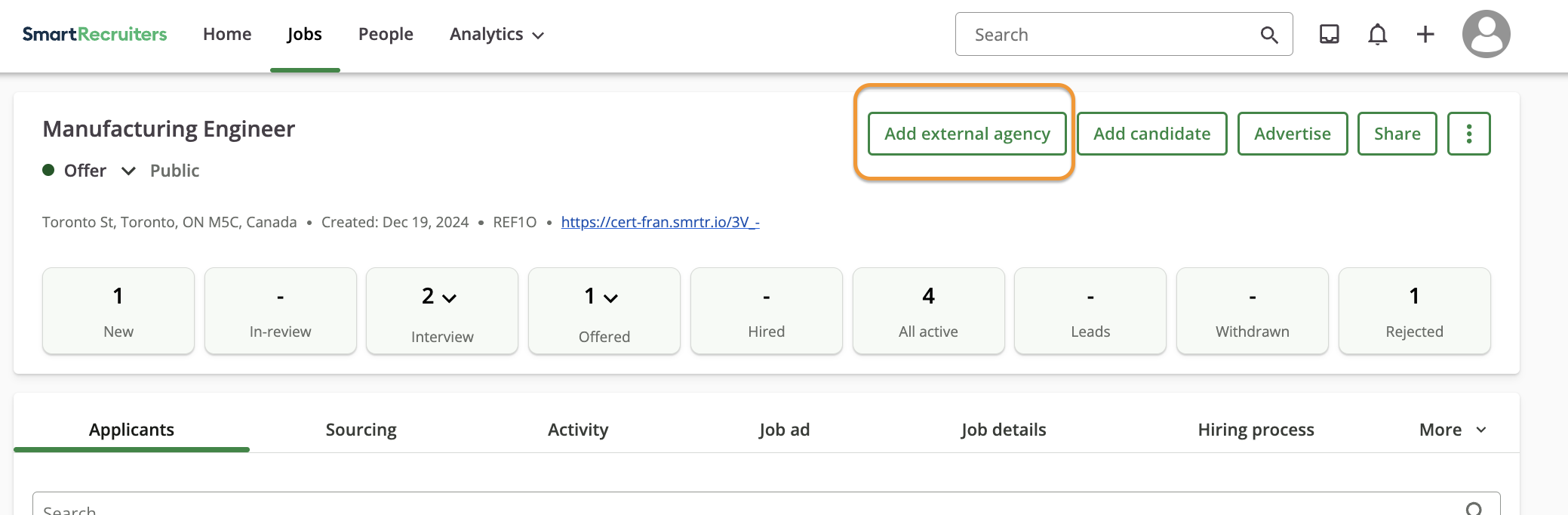
Click on "Add External Agencies"
Choose agencies
Confirm publication
Detailed instructions
Accessing the 'Add external agency' page
Navigate to your Jobs dashboard
Select the specific job you want to publish
Click Add external agency
Selecting agencies
Review available agencies list
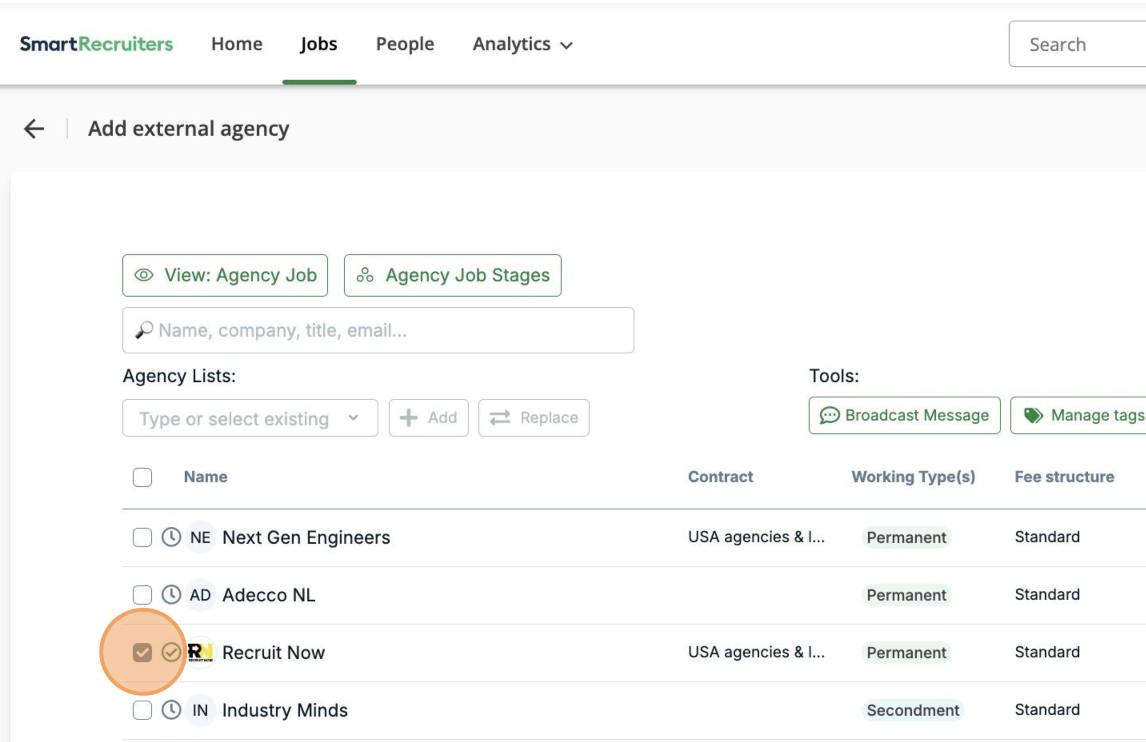
Check boxes next to desired agencies
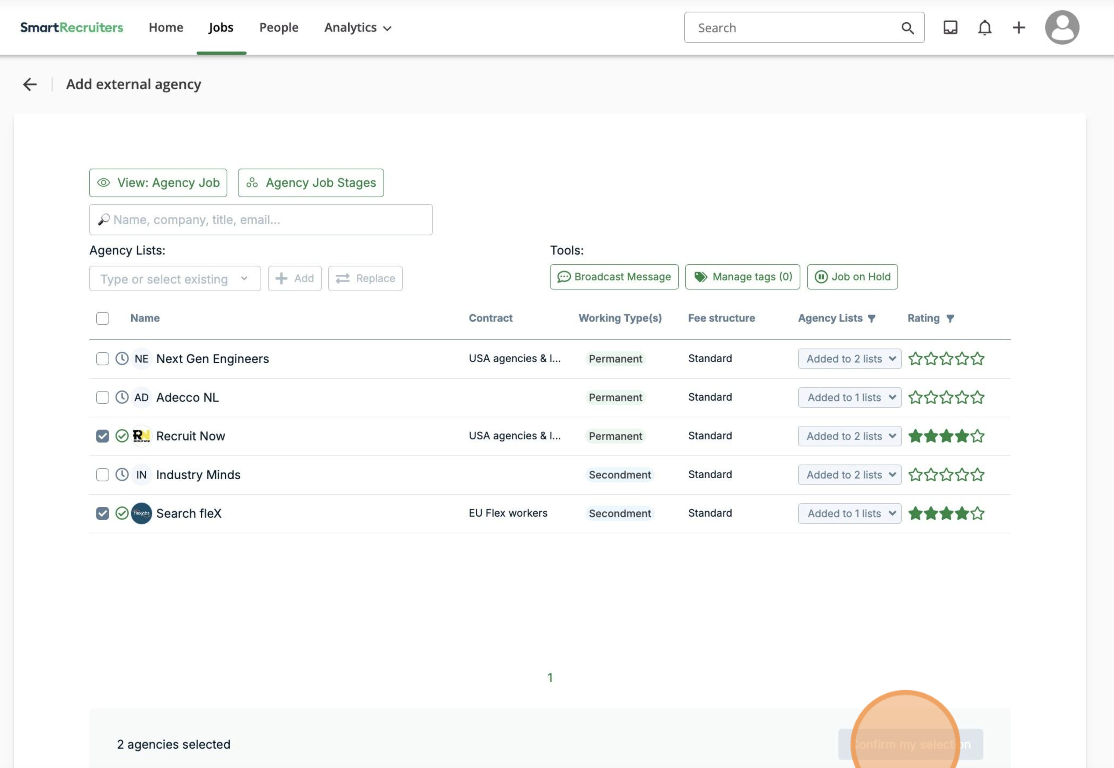
Click Confirm my selection
Selected agencies instantly see the job in their hub and receive an email notification
Managing job visibility
Click "View: Agency job" to preview agency view
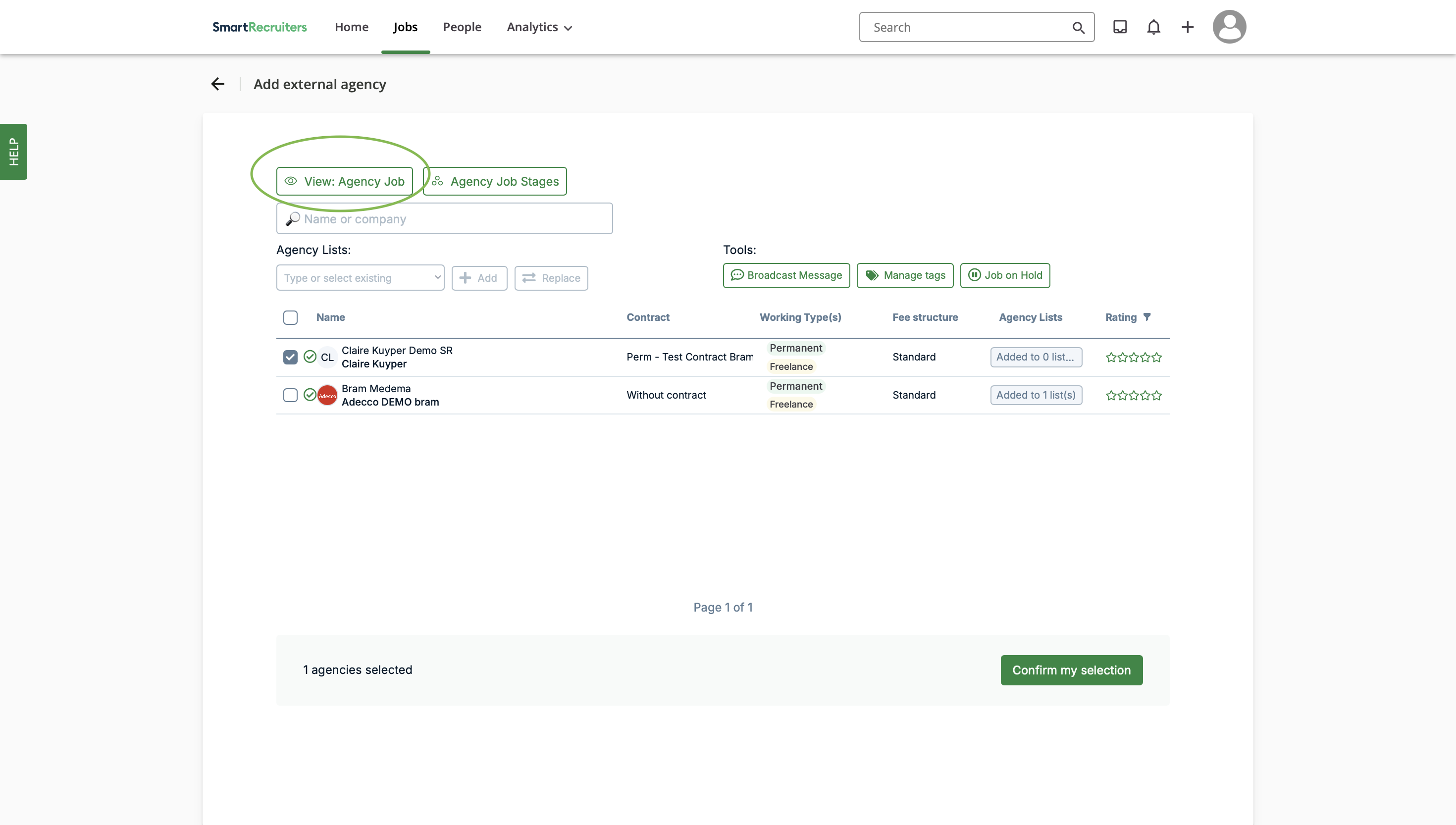
Use Edit to modify agency-visible information
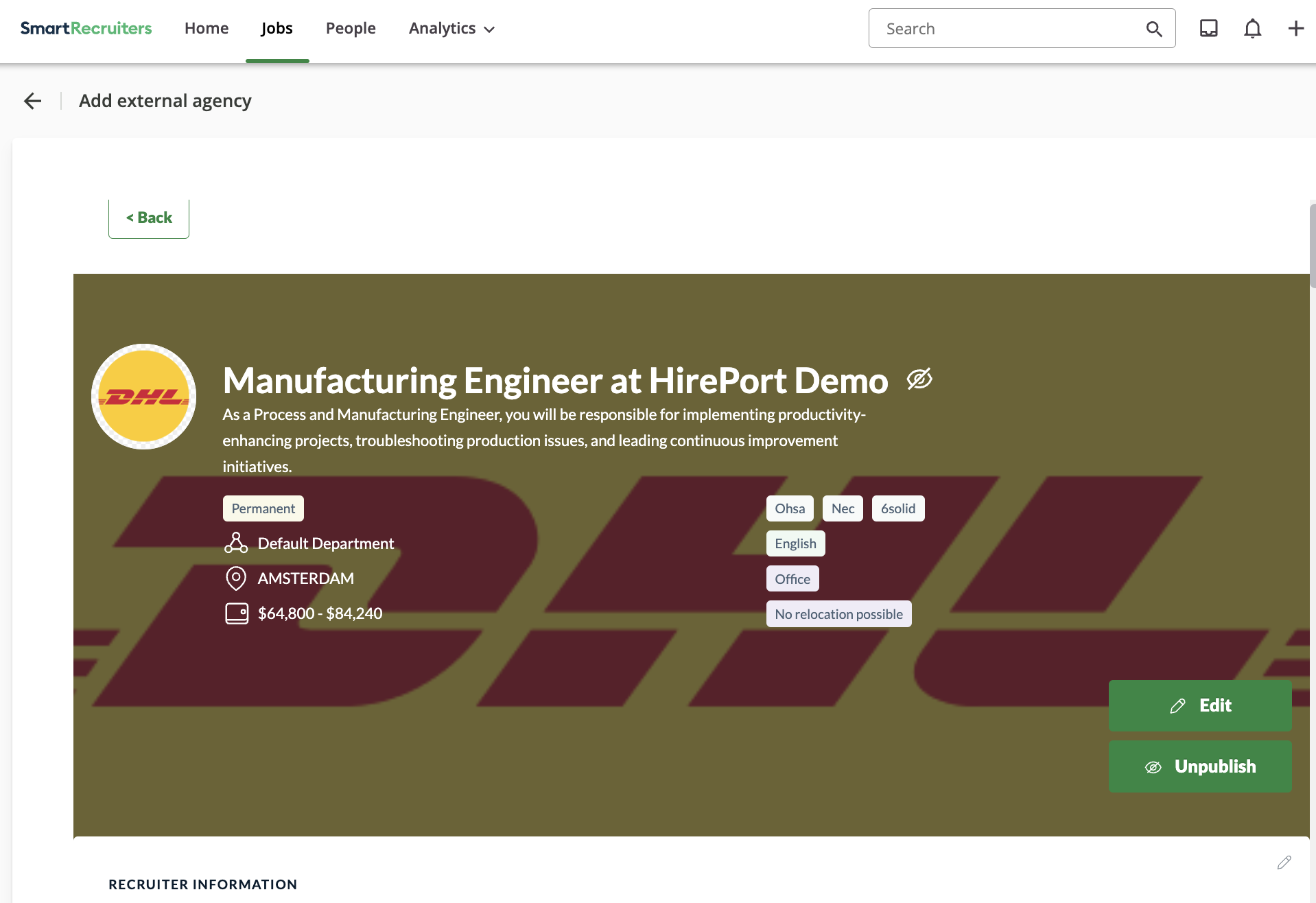
Return using "Back" button.
Best practices
Review agency-visible content before publishing
Verify selected agencies match job requirements
Double-check the vacancy through agency view
Troubleshooting
Contact support for access issues
Need help?
Contact SmartRecruiters support.