How to create or change contracts?
Last updated: September 28, 2026
Go to settings, scroll all the way down and navigate to Agency Hiring > Master Contracts.
Click 'Create contract' or select the contract you would like to edit by clicking on the pencil on the right of that row.
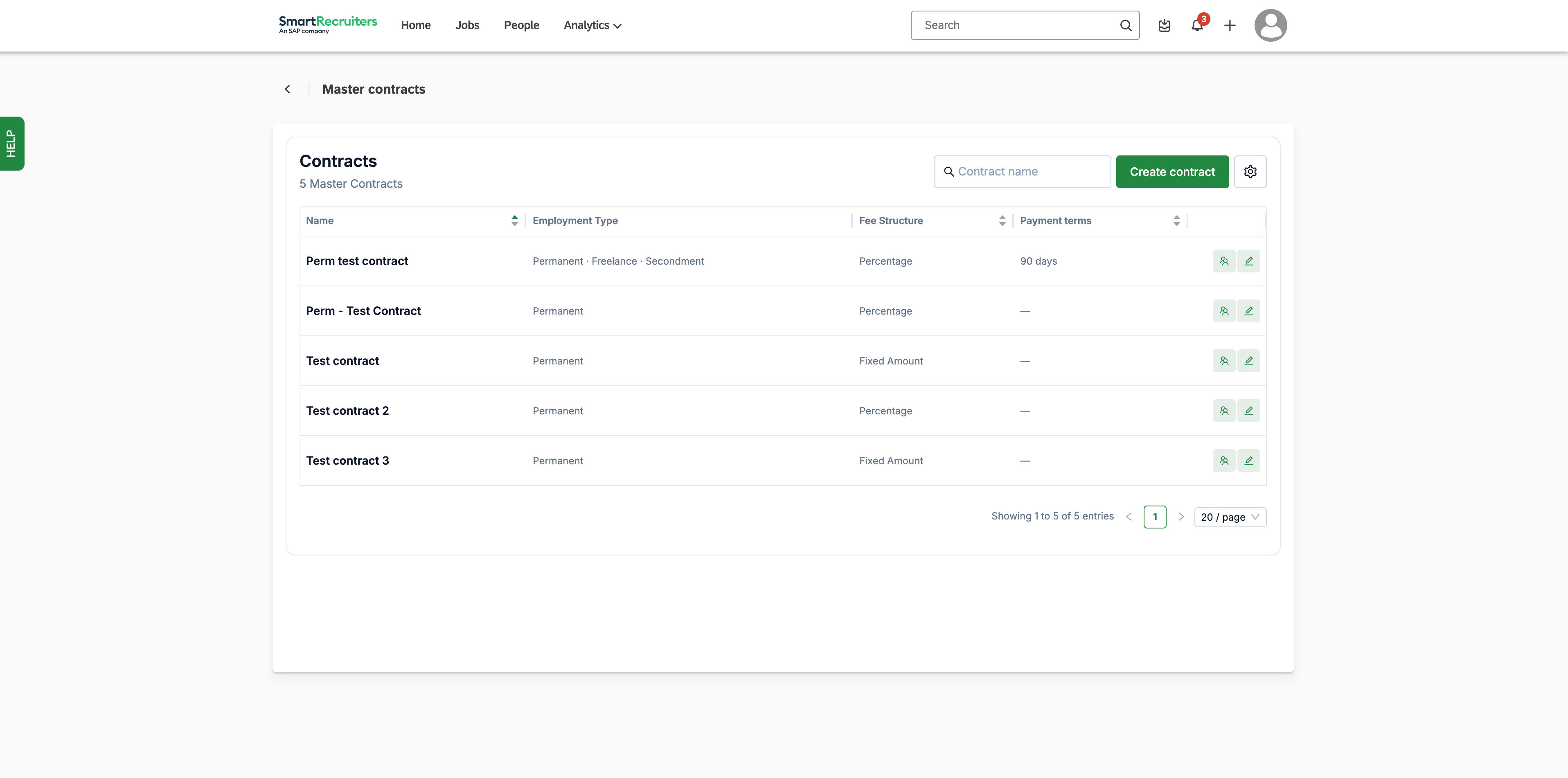
Decide which tabs are relevant to fill in for the agency/agencies that will work under these terms. The system will recognize for which type of employment you work together with them based on which tabs are filled in on the contract: Permanent, Freelance and/or Contract-to-Perm.
For secondment jobs, use contract-to-perm.
Modify desired sections, for example:
Payment terms
Establish exclusivity terms if applicable
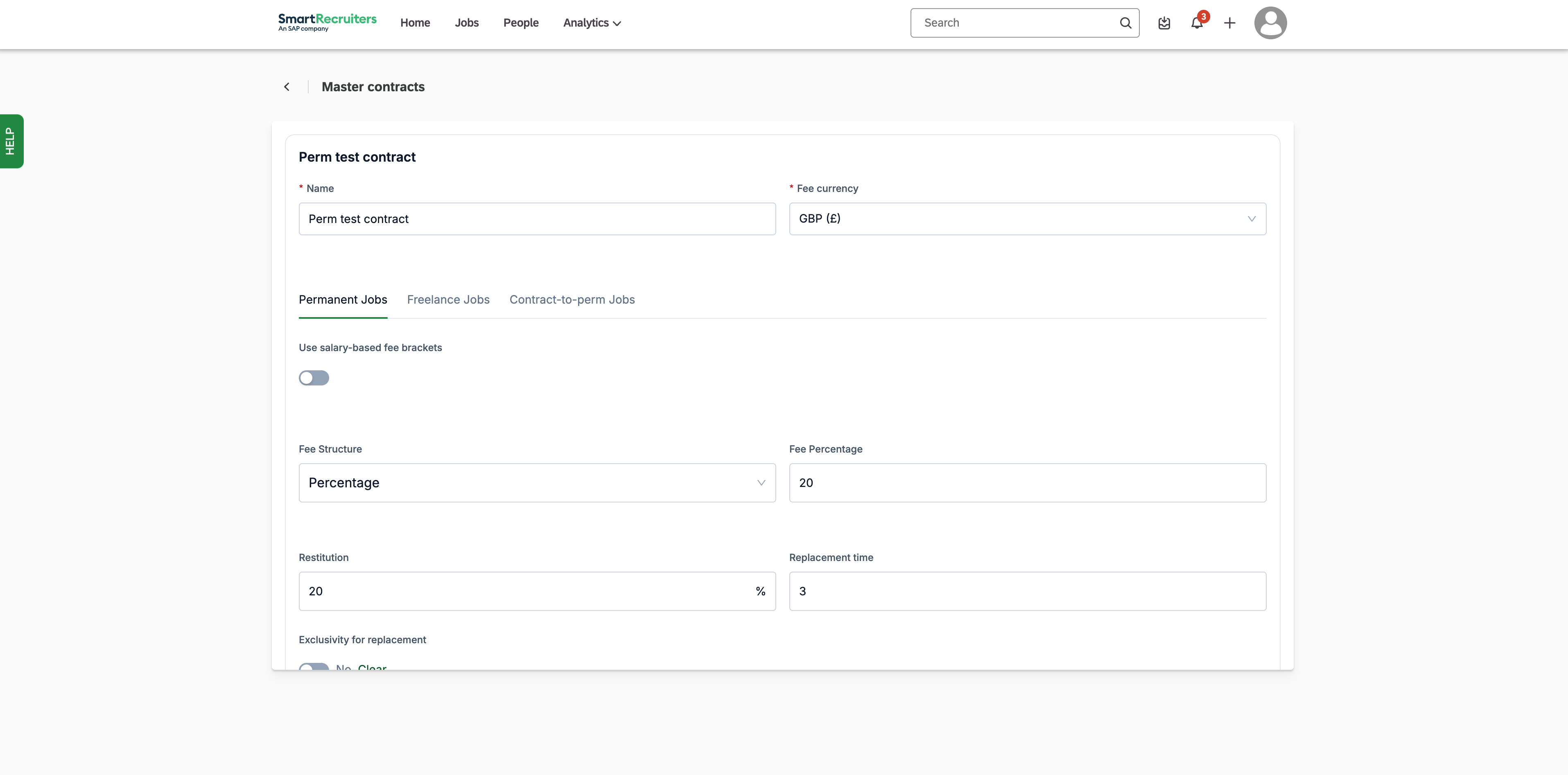
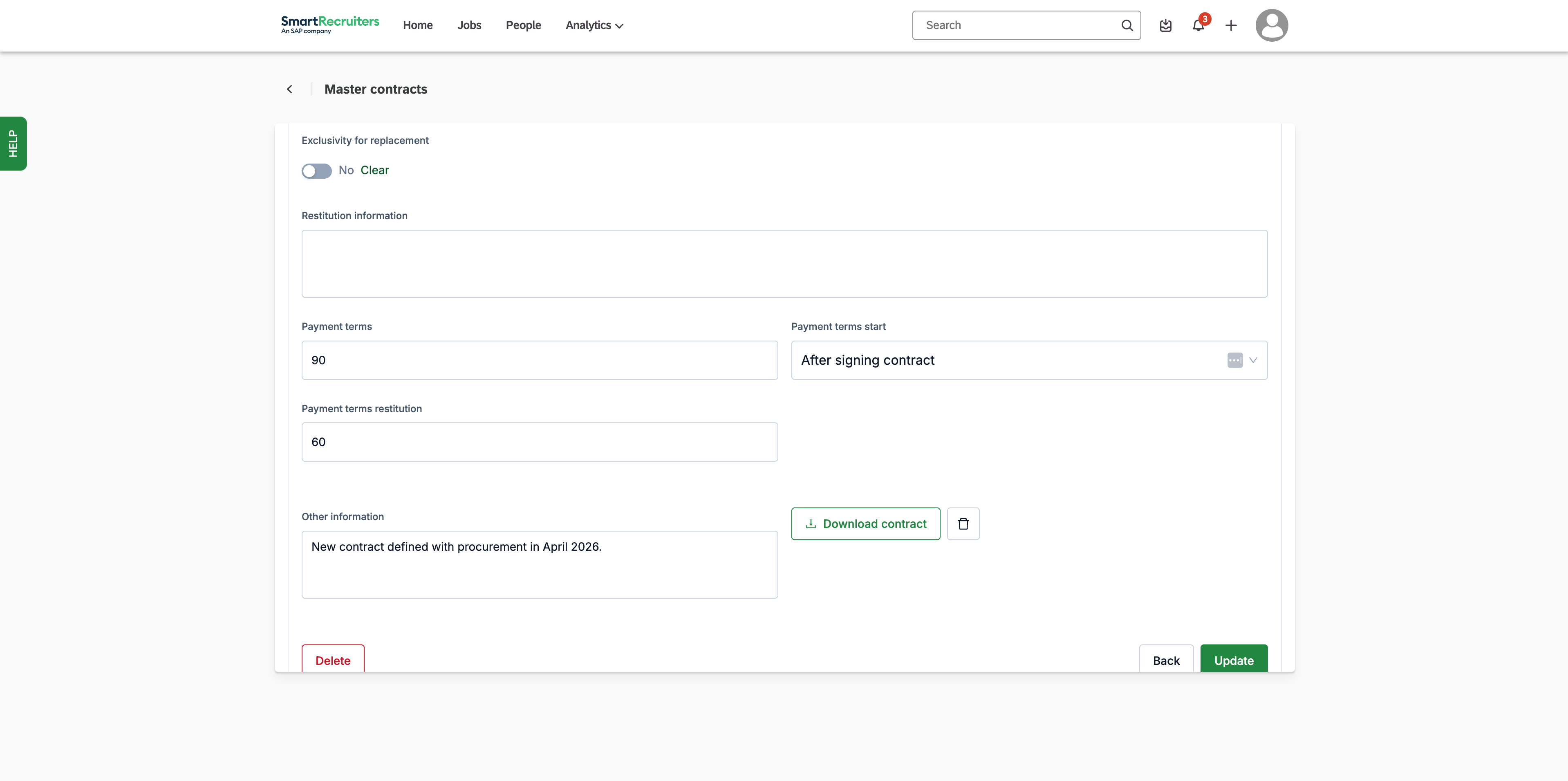
Note: There are no required fields besides Fee currency & Name of the contract.
Note: The advice here is to upload your existing contract as a minimum + the fee details.
Note: Fee structure affects what gets calculated in the system
The contract type you select determines how the system processes fee information in Fee approvals and Agency Analytics.
For permanent placements, a full fee calculation is made based on the fee structure defined in the contract (fixed fee or percentage-based). For freelance and temporary placements, no automatic calculation is made, but the system reads up to 50 characters from the first fee details field and displays that text as-is in the Fee approvals screen. This information is not used in Agency Analytics.
Click update or create to save changes. An updated version of the contract will be sent to agencies who were already attached, if applicable. You can attach this contract to the invitations when inviting them from the Agency Management screen.
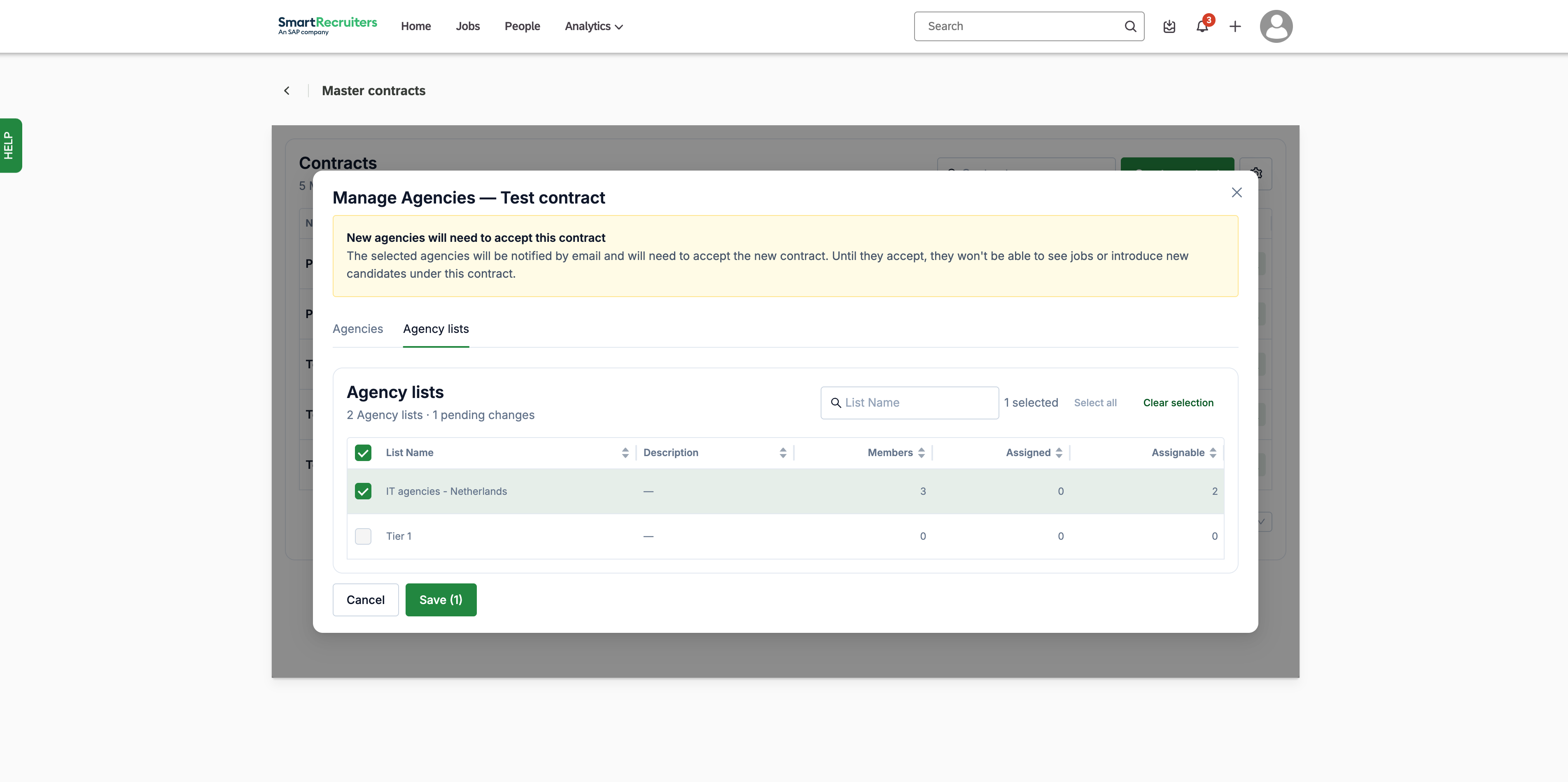
Note: You can also add a contract to an agency already invited to the system beforehand, by clicking the agency-icon on the right of that row and selecting that entire agency list or a specific agency user.
Need help? Contact SmartRecruiters support