What's new this month | March 2026
Last updated: March 27, 2026
This month we've been focused on giving you more control and flexibility across the Agency Portal. From enhanced branding options to smarter approval workflows and improved compliance settings, here's everything that's new and ready for you to explore.
Here's what's new in the Agency Portal this month: built to give you more control, flexibility, and a better experience
Company profile
Agency Portal Settings: Hide System Messages
1. Introducing | Company Profile (screen)
My company > Agency Portal > Company Profile
Pick your company logo
Pick your default job banner image
Pick your company profile banner image
Describe:
Your company
Your company culture
Competitive USP's/give a summary
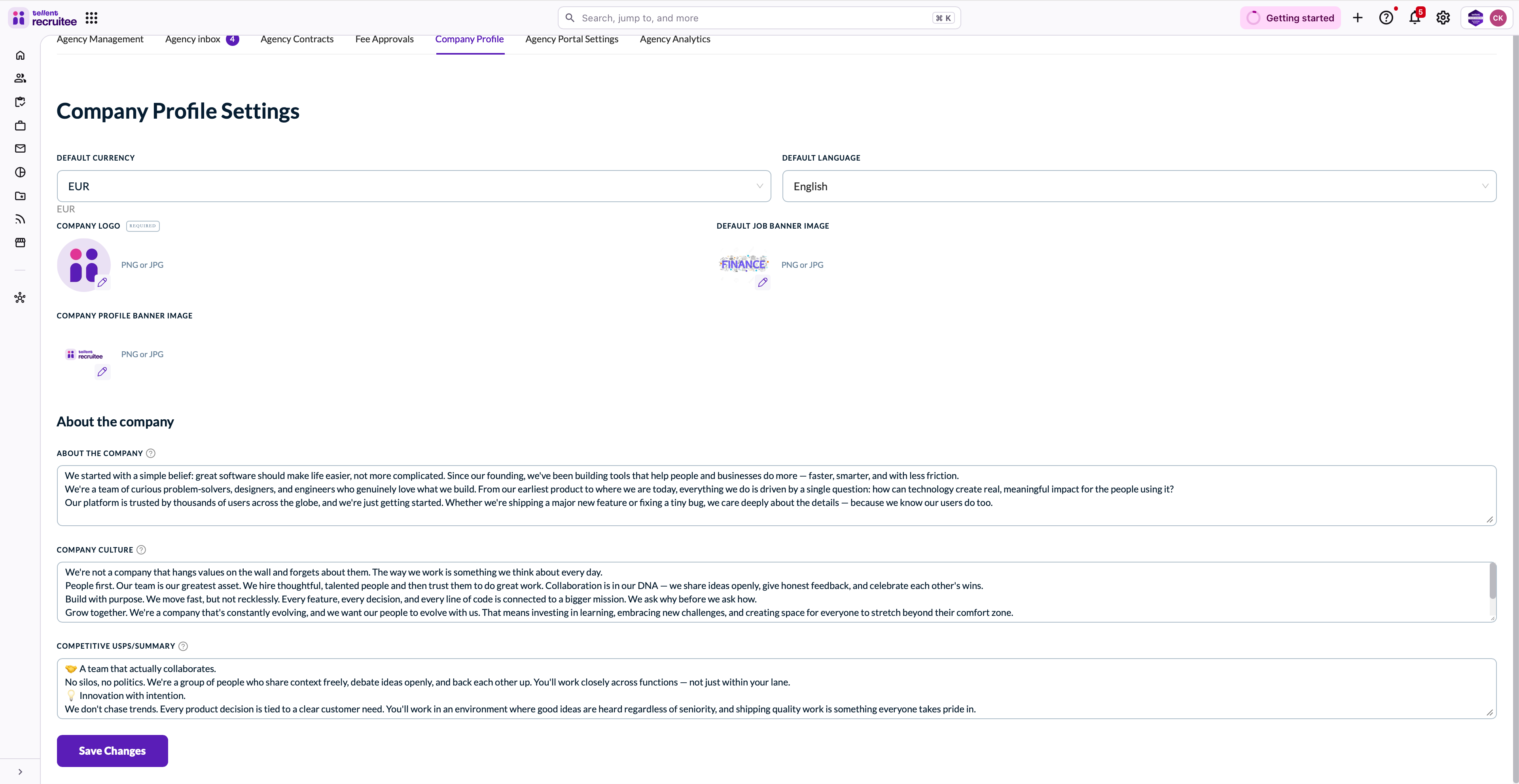
✅ Stronger employer branding by showcasing your logo, banners, and company imagery in one place
✅ Attracts better-fit agency candidates by clearly communicating your culture and competitive USPs
✅ Creates a more professional, consistent first impression for agencies viewing your profile
2. Introducing | Hide System Messages (Setting)
My profile > Agency Portal > Agency Portal Settings > Chat & Communication
Hide automated system messages (e.g. star ratings, stage changes) from the chat view. Only user-written messages will be visible in the Agency Chat.

Key benefits:
✅ Cleaner chat view by surfacing only meaningful, human-written communication
✅ Reduces noise so recruiters can focus on what matters in agency conversations
✅ Improves the overall chat experience, making it easier to track key discussions and decisions