Product Updates | September 2026 | For Recruitee
Last updated: September 16, 2026
What's new this month
The AgencyHub has a refreshed look, job assignments now have a dedicated list view, and duplicate candidate prevention now checks your full Recruitee candidate database. These updates make it easier to find your way around, keep track of who your agencies are working with, and catch duplicate candidates, no matter how they entered your ATS.
In this article:
Introducing | Job Assignments Tab
Introducing | List View in Agency Management
Introducing | Smarter Duplicate Candidate Prevention
Introducing | Refreshed Agency Interface
Introducing | Job Assignments tab
AgencyHub icon in the left sidebar > Agency Management > Job Assignments
A clearer overview of your job assignments
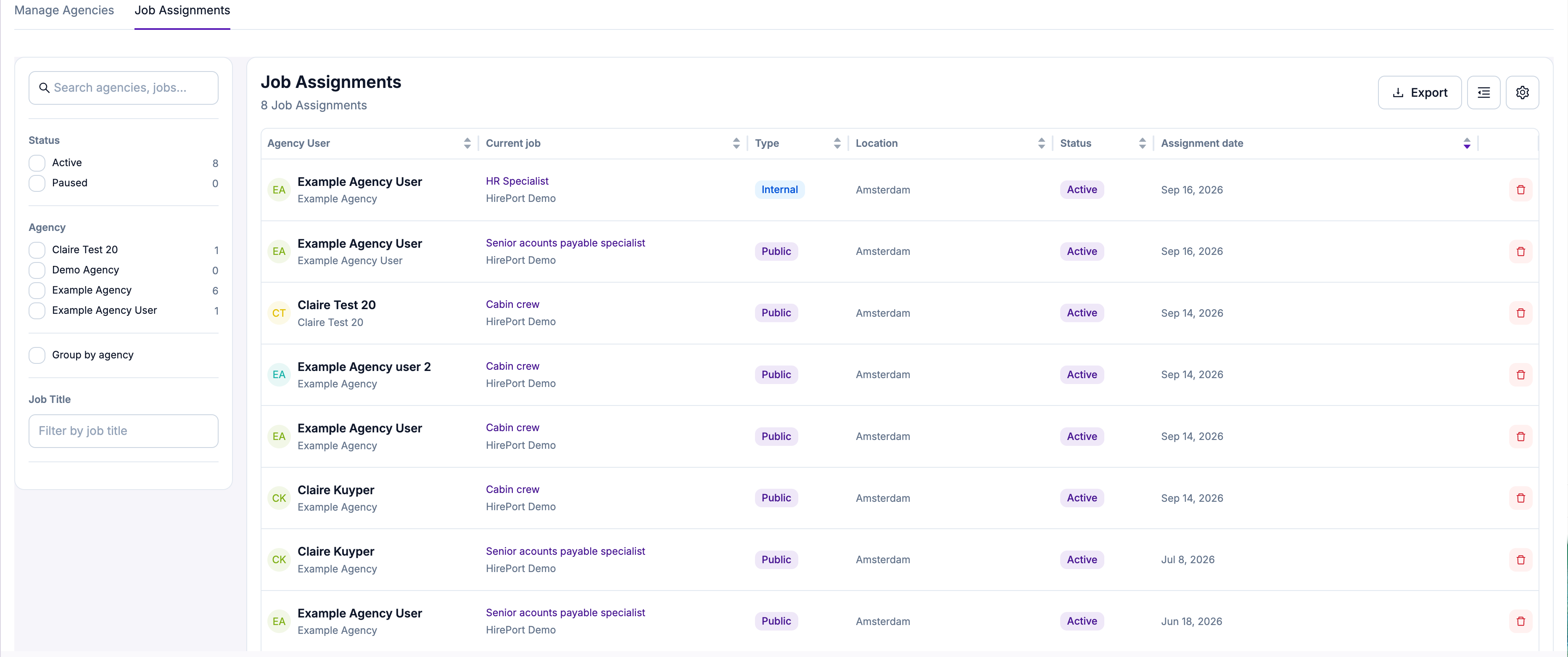
The Job Assignments tab now shows all assignments in a clear list view, with columns for agency user, current job, type, location, status, and assignment date. You can sort by any column, filter by status, agency, or job title using the sidebar, and export the list at any time.
Key benefits:
A clearer, more organized overview of all agency job assignments in one place
Faster filtering and sorting to find the assignment you're looking for
Easy export of your job assignment data
Introducing | List View in Agency Management
AgencyHub icon in the left sidebar > Agency Management
A clearer overview in Manage Agencies
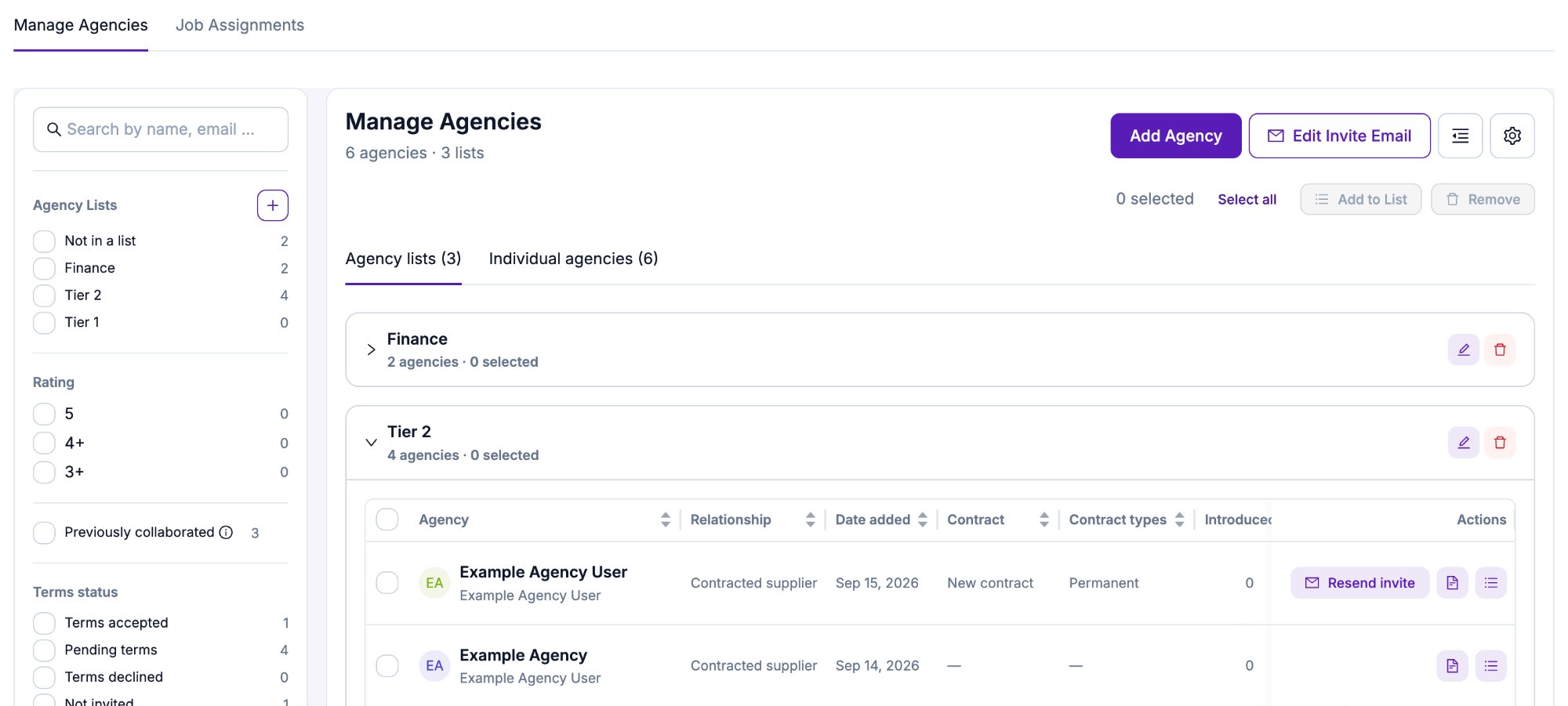
The Manage Agencies screen now shows your agencies in a clear list view, with columns for agency, relationship, date added, contract, contract type, and number of candidates introduced. You can switch between viewing your Agency Lists or all Individual Agencies, select agencies to add them to a list or remove them in bulk, and use the sidebar filters to narrow down by agency list, rating, previous collaboration, or terms status.
Key benefits:
A clearer, more organized overview of your agencies
Faster filtering and sorting to find the agency you're looking for
Introducing | Smarter Duplicate Candidate Prevention
AgencyHub icon in the left sidebar > Agency Portal Settings > Duplicate candidate prevention
Now checks your entire Recruitee candidate database
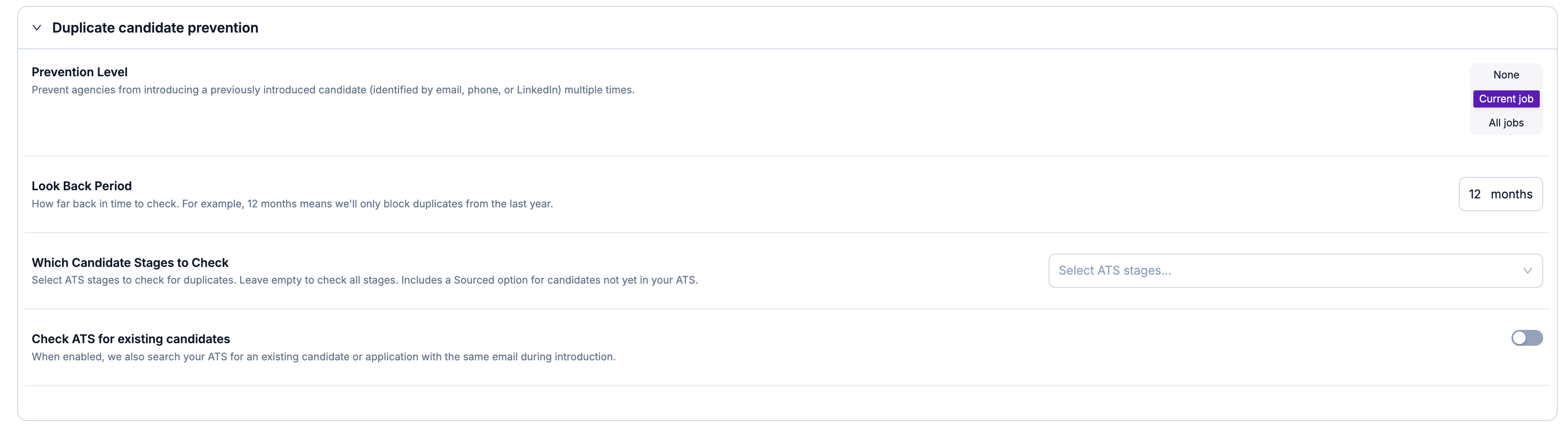
Duplicate candidate prevention previously only checked candidates that agencies had introduced through the AgencyHub. With the new "Check ATS for existing candidates" setting, HirePort also searches your entire Recruitee candidate database for an existing candidate or application with the same email during introduction, not just candidates introduced by agencies. This means the introduction of this already known candidate will be blocked.
Key benefits:
Broader duplicate protection that covers your whole Recruitee candidate database, not just agency-introduced candidates
Fewer duplicate introductions slipping through, regardless of how the candidate first entered your ATS
Works together with your existing duplicate prevention settings, so no extra setup is required beyond turning it on
Introducing | Refreshed HirePort Interface
A refreshed interface on the agency side
HirePort has a new look and feel. For a walkthrough of everything that's changed, also see our agency helpdesk update article (link).
A few highlights:
More filtering in the candidate overview
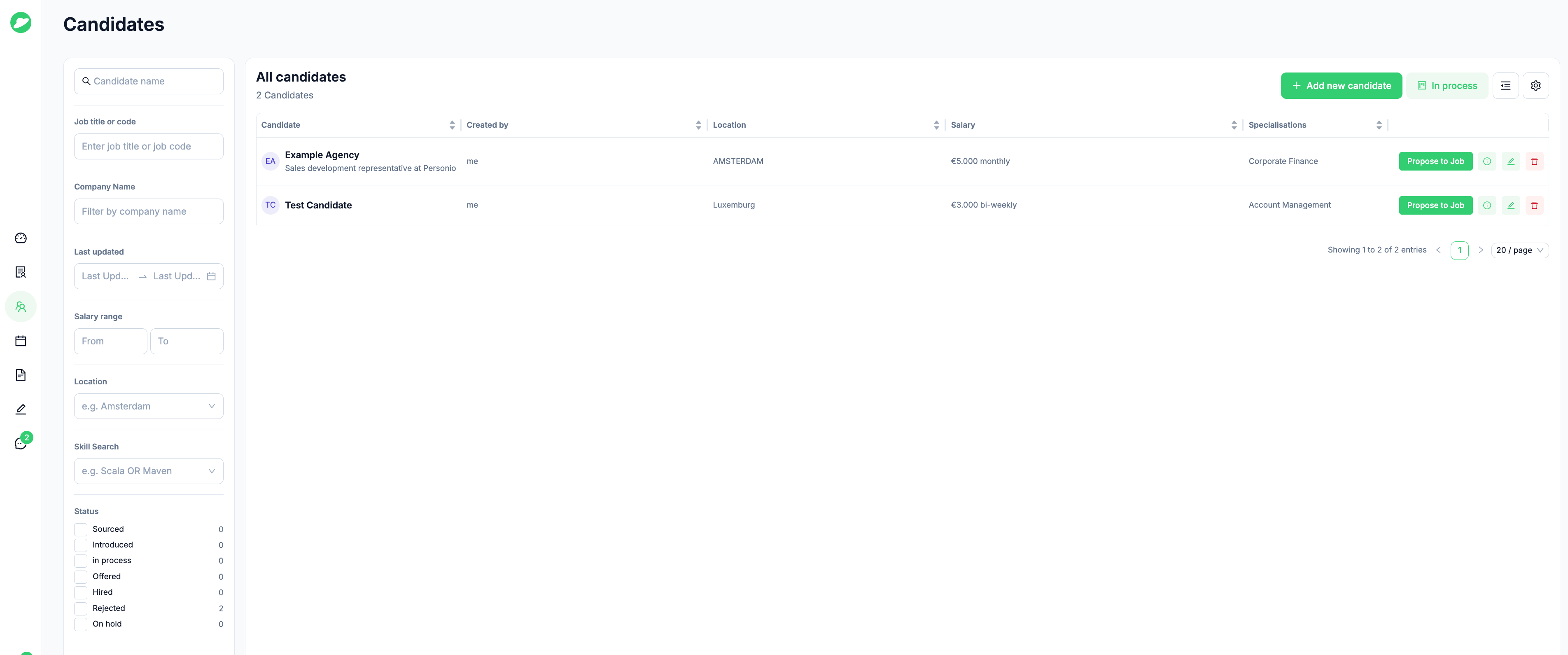
Agencies now have extensive filter options in their candidate overview, making it easier to narrow down candidates without having to scroll through the full list.
More filtering in the job overview
Agencies now have extensive filter options in their job overview as well, making it easier to narrow down jobs without having to scroll through the full list.
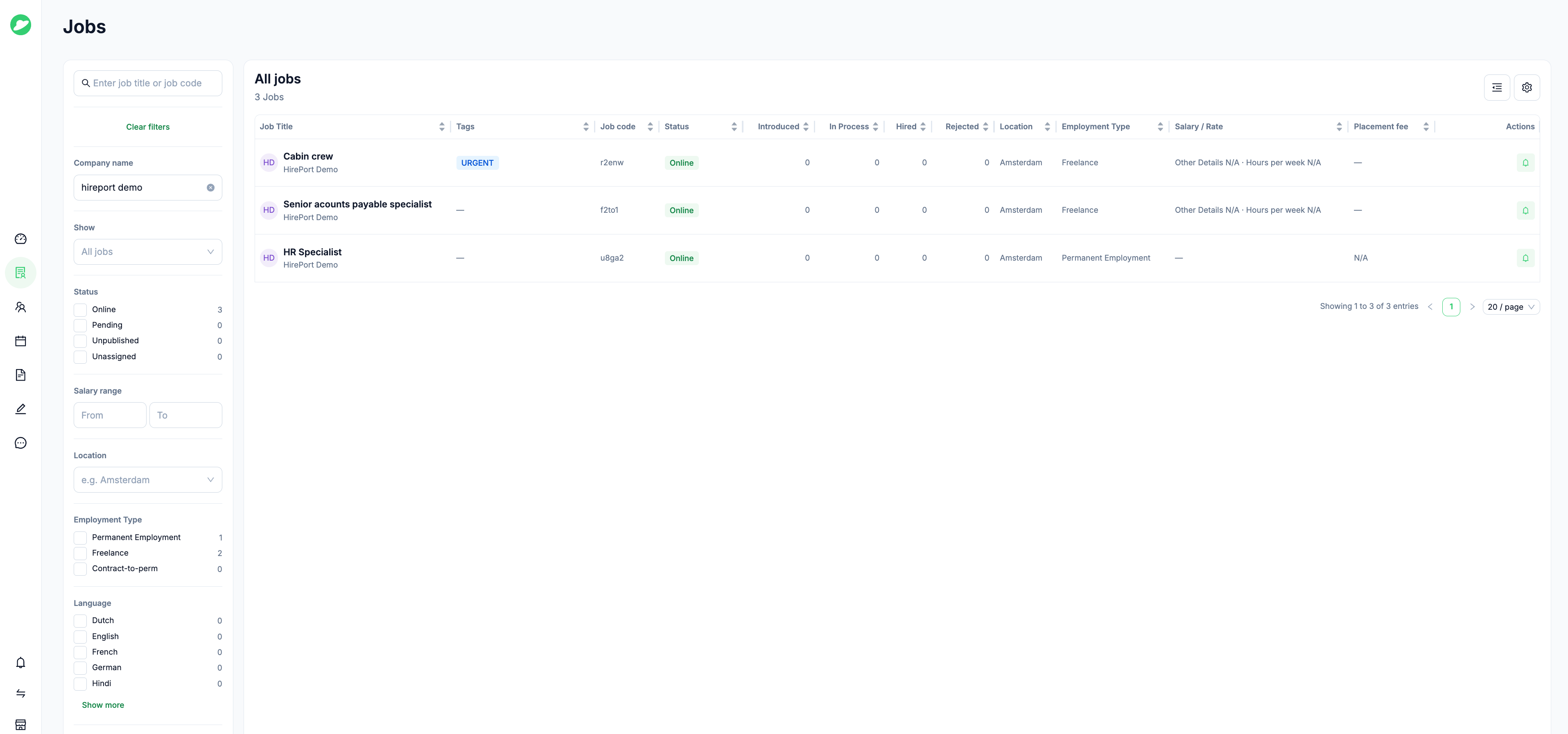
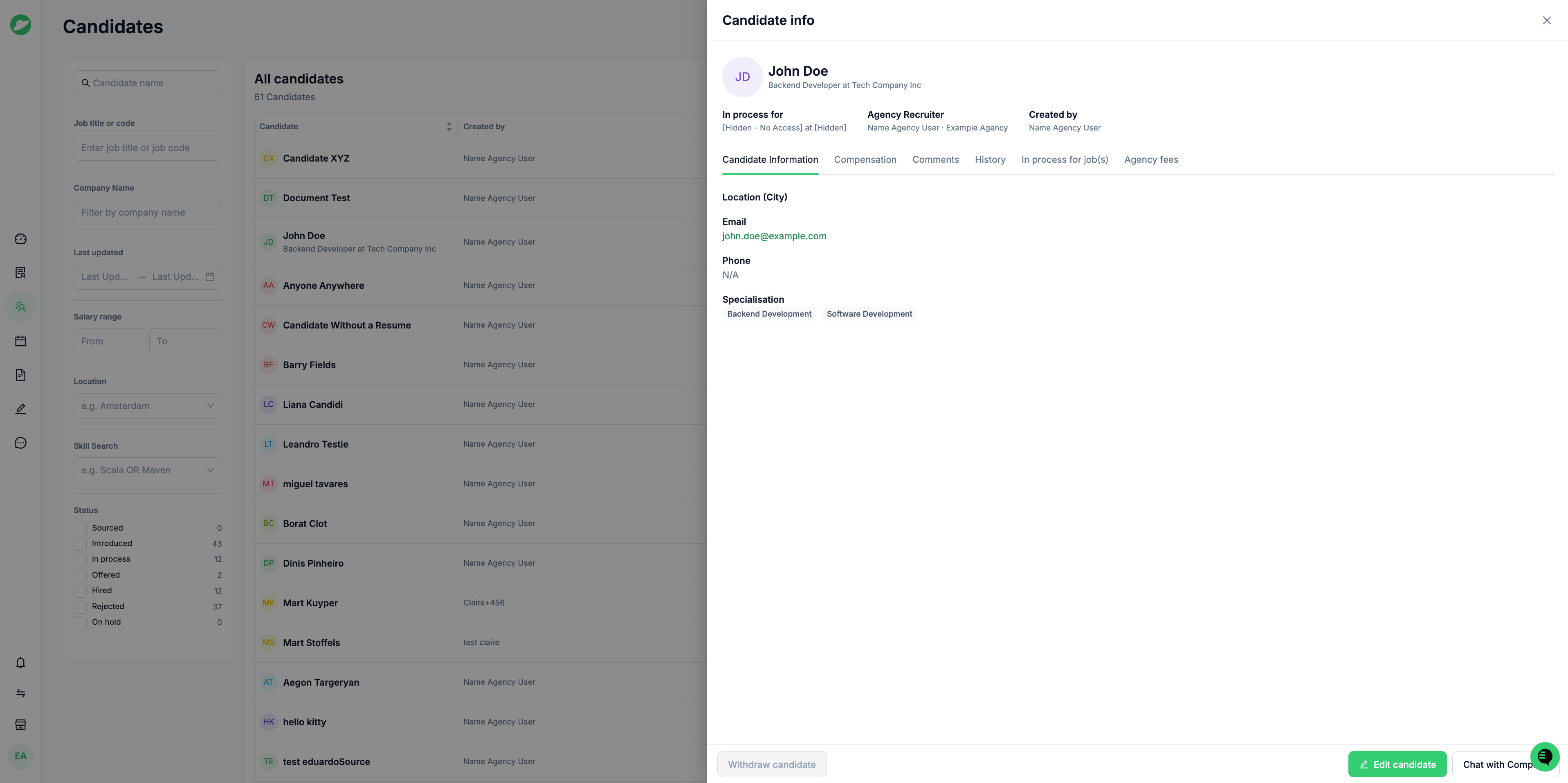
A more complete candidate profile
The candidate profile now shows more complete information, giving agencies a fuller picture of each candidate in one view.
Key benefits:
A modernized, more consistent agency experience
Faster, more precise filtering when browsing candidates and jobs
A fuller candidate picture in a single profile view
Need help?
If you still need assistance, please contact support@hireport.io.