Product Updates | October 2026 | For Agencies
Last updated: October 20, 2026
Introduction
HirePort now has a dark mode. You can switch your agency portal between a light and a dark look, or let it follow your computer's own setting.
In This Article
Introducing | Dark Mode
Dark Mode
Click your initials > light
You can now choose how HirePort looks: light, dark, or matched to your system. With Match system, HirePort automatically follows the light or dark setting of your computer, so it switches along with your other apps.
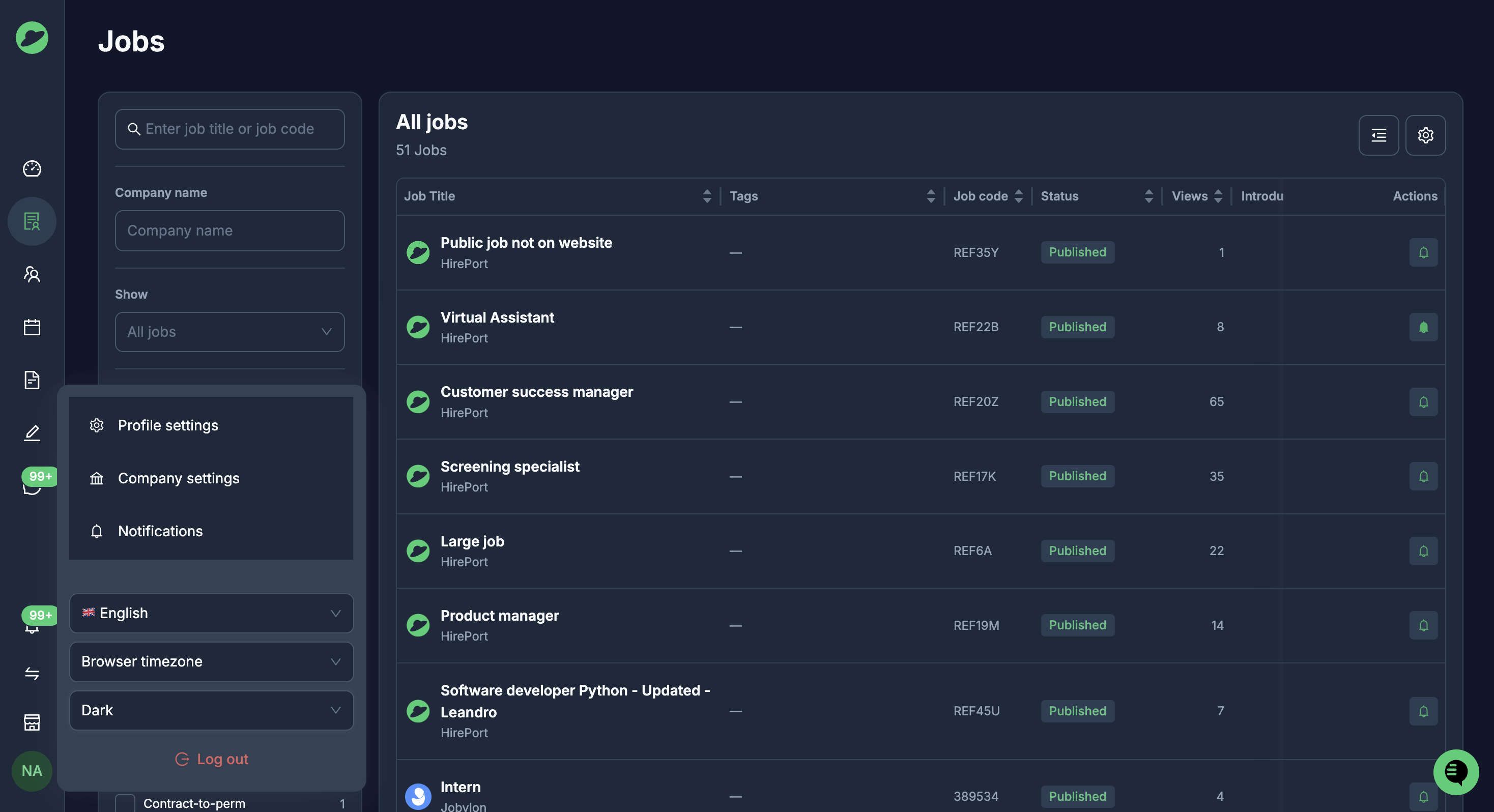
Key benefits:
Easier on the eyes, especially when working in the evening or for long stretches
A consistent look if you already use dark mode on your computer or in other tools
Your choice: light, dark or Match system.
Support
If you still need assistance, please contact support@hireport.io.